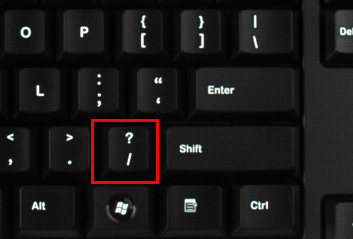
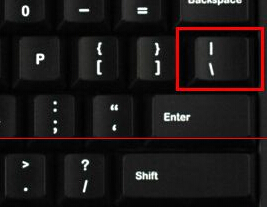
Windows 10 微軟注音/新注音輸入法中文模式下,輸入頓號鍵位從傳統 / 改為 `(鍵盤左上角 ESC 下方、數字 1 左側鍵),符合國人習慣並避免與標點符號衝突。
微軟重新設計輸入法鍵位映射,使常用標點(頓號、句號、逗號)對應直覺鍵位,` 鍵位置固定且不易誤觸,適合高頻使用的頓號。
Win10 清除「執行」視窗歷史記錄:登錄表 RunMRU 刪除指令紀錄保護隱私
Win10 關閉 Windows Update 自動更新的兩種方法(含圖解)
Win10 解除安裝 Oracle VM VirtualBox 錯誤 2503 修復:以系統管理員權限重啟 Explorer 後解除安裝
Windows 10 Build 14393 更新詳情:準正式版修復多項 Bug
Win10 安裝 Office 2013 完整圖文教學(含授權條款同意步驟)
Win10 小娜預設 Bing 搜尋怎麼改 Google/百度?Chrome 擴充功能攔截重導向實作
Win10 設定共用項目列表顯示數量調整教學
Win10 觸控板三指手勢全解析:顯示桌面、工作檢視、視窗切換、虛擬桌面