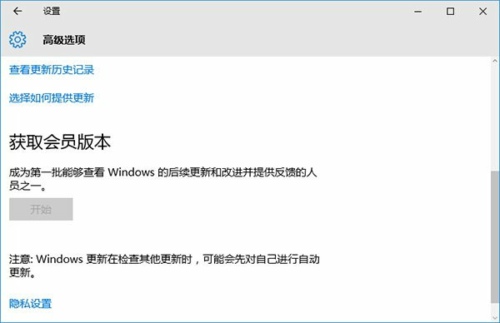
「會員版本」即 Windows Insider 計畫,讓使用者搶先體驗即將釋出的 Windows 10 預覽版,協助測試穩定性與回報問題。加入方式:
- 開啟「設定」→「更新與安全性」→「進階選項」。
- 在「取得會員版本」區塊點擊「修復我」(或直接登入)。
- 使用已加入 Insider 計畫的 Microsoft 帳戶登入。
- 若提示輸入舊密碼,無則直接下一步。
- PIN 碼設定可選擇「略過此步驟」。
- 綁定成功後,未來預覽版更新推播通知將發送至該帳戶。
注意:會員版本屬預覽版,穩定性較正式版低,不建議主力機安裝。