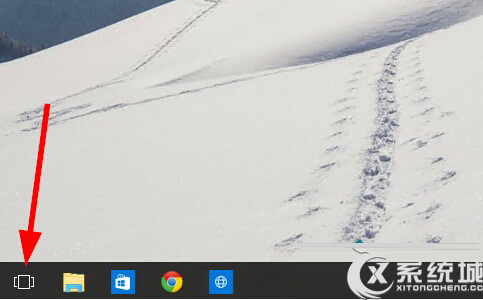
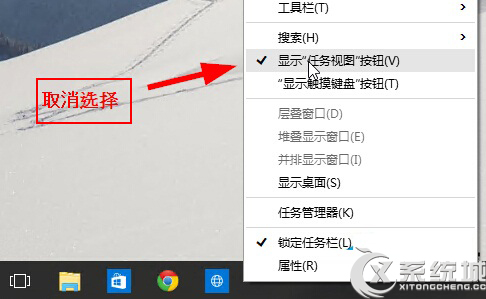
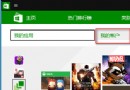
工作列右鍵選單中可一鍵切換「工作檢視」按鈕顯示狀態:
Win10 設定應用程式麥克風存取權限教學
Windows 10 Build 10125 新增功能彙總:Edge 瀏覽器 InPrivate/歷史/釘選/F12 強化、Photos/OneDrive/Solitaire/鬧鐘 App 更新
Windows 10 移除桌面右下角版本資訊水印工具使用教學
Win10 全螢幕遊戲切換藍屏 driver_power_state_failure 解決:關閉休眠與混合睡眠
Win10 調整桌面圖示字型大小教學
Windows 7/8.1 關閉 Windows 10 免費升級提示:三種方法完整教學
Win10 清理系統暫存檔:內建儲存體感知器一鍵釋放空間
白雲一鍵重裝系統 Win10 圖文教學:全自動無人值守安裝