Windows 刪除檔案並清空回收站後,資料仍可被復原軟體救回。cipher 指令提供徹底銷毀:
cipher
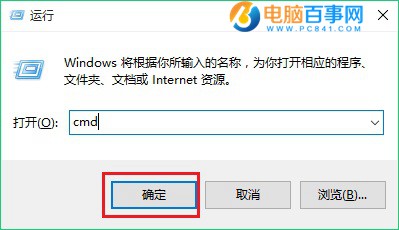
cmd
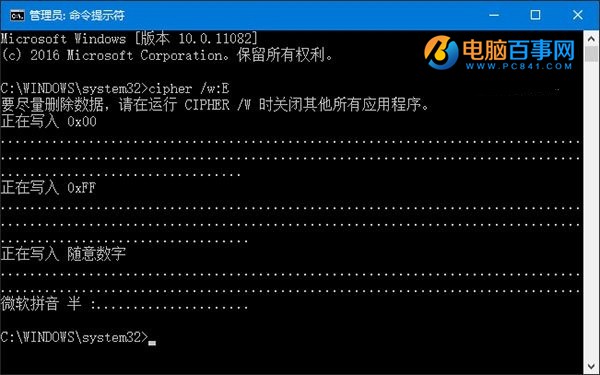
cipher /w:C
C
三輪覆寫(0x00→0xFF→隨機)徹底抹除已刪檔案殘留資料,不影響現有檔案。適用 XP/7/8/10。
0x00
0xFF
單一檔案: 用「軟媒魔方」→「檔案大師」→「檔案粉碎」同樣多輪覆寫,效率更高。
Windows 10 內建虛擬光碟機使用教學:掛載/卸載 ISO 檔,無需第三方軟體
Win10 10041 郵件/行事曆/人脈應用無法開啟?PowerShell 一鍵重裝修復
Win10 如何設定中文語言?控制台語言設定完整步驟與登出生效
Win10 取得 C 槽資料夾寫入權限:進階安全性設定取得擁有權、授權完全控制
Windows 10 如何將 Edge 設為預設瀏覽器?系統設定三步驟完成
Win10 系統還原/一鍵還原教學:控制台→復原→系統還原,選擇還原點回溯 (含官方下載連結提醒)
Win10 Microsoft Store 查看已購買應用程式:帳戶頁面一鍵直達
Win10 如何設定 F8 進入安全模式?BCD 編輯啟用傳統開機選單