右鍵開始按鈕 (Win+X 選單) 無反應或缺項目。
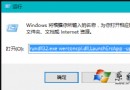
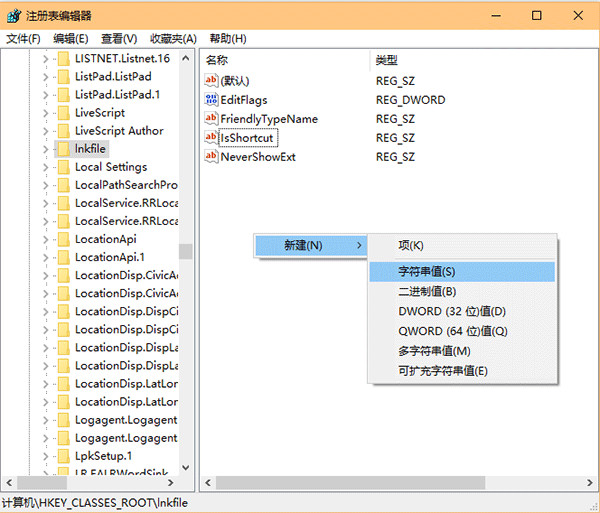
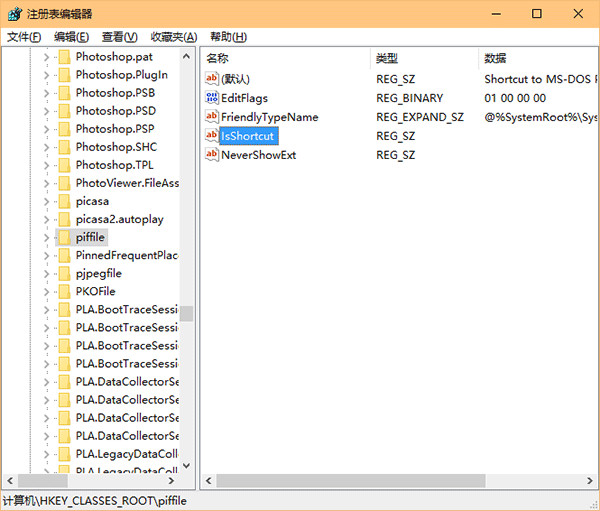
regedit。HKEY_CLASSES_ROOT\lnkfile,右鍵新增「字串值」,名稱 IsShortcut,數值留空。HKEY_CLASSES_ROOT\piffile,同樣新增字串值 IsShortcut,數值留空。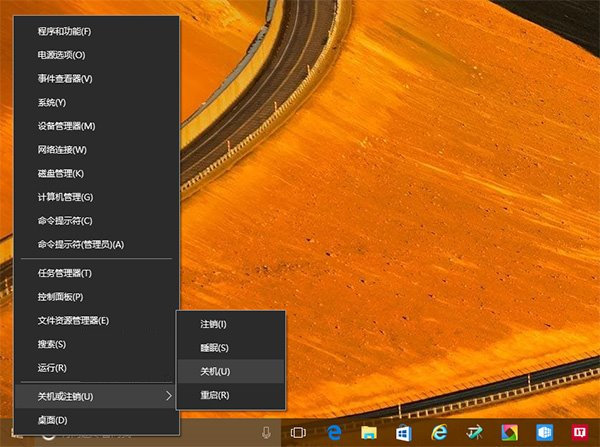
Win10 任務列時鐘改回新版 UI:啟用現代化日期時間面板
Windows 10 開啟啟動資料夾教學 (管理開機自動執行程式)
Win10 移除桌面右下角版本水印:去水印工具 Remove all watermark 一鍵操作 (附副作用:系統屬性版本名稱消失)
Windows 10 分割螢幕 (Snap Assist) 四等分畫面操作教學
Windows 10 如何更換鎖定畫面/登入畫面背景?替換系統檔案 Windows.UI.Logon.pri 進階教學
Win10 關閉自動維護教學:工作排程器停用 Microsoft\Windows\TaskScheduler\TaskScheduler 任務 (附自動維護功能說明)