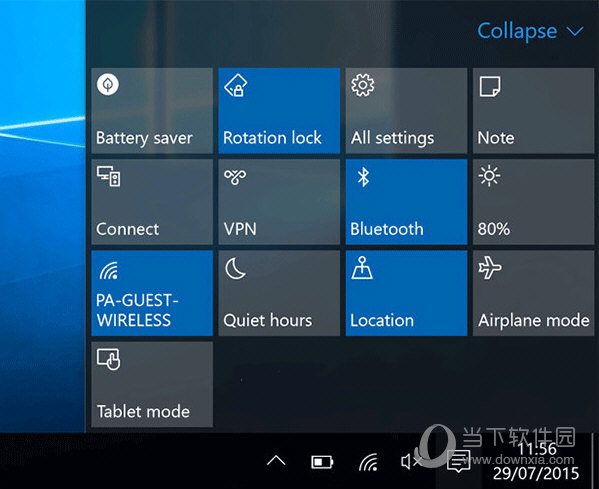
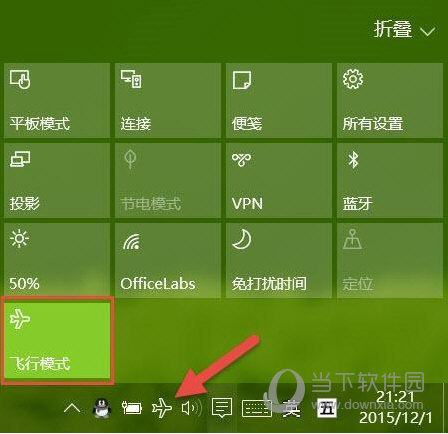
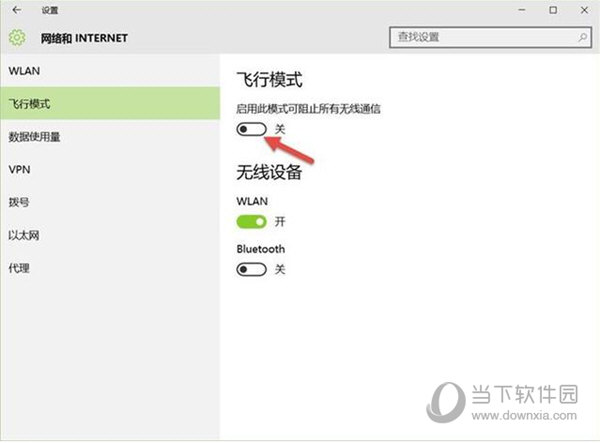
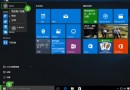
飛行模式一鍵切斷所有無線電訊號 (Wi-Fi、藍牙、行動網路、GPS、NFC),三種開關方式任選。
動作中心最快且可靠,建議優先使用。
Windows 10 解壓縮檔案教學:內建無解壓功能,需安裝第三方工具 (WinRAR/7-Zip/360壓縮)
Win10 修改使用者登入名稱 (重複內容參考 ID 21439)
Win10 解決磁碟使用率 100% 問題:移除 Intel 快速儲存技術驅動程式
Win10 如何關閉高對比度模式?完整步驟教學
Win10 玩《星海爭霸 1》畫面不全?相容性設定一鍵修復
Win10 執行 WPS 2016 無回應?更新顯卡驅動 + 關閉硬體圖形加速解決
Win10 登錄編輯器右鍵跳轉同名鍵值:編輯登錄效率神器,菜鳥也能秒變高手
Win10 關閉 Cortana 進程釋放記憶體:任務管理員結束工作 + 刪除 SystemApps 資料夾