Windows XP Windows 7 Windows 2003 Windows Vista Windows 綜合教學 Linux 系統教學
Windows 10 Windows 8 Windows 2008 Windows NT Windows Server 電腦軟體教學

Win10 關閉 Cortana 進程釋放記憶體:任務管理員結束工作 + 刪除 SystemApps 資料夾

編輯:Windows 10 系統介紹

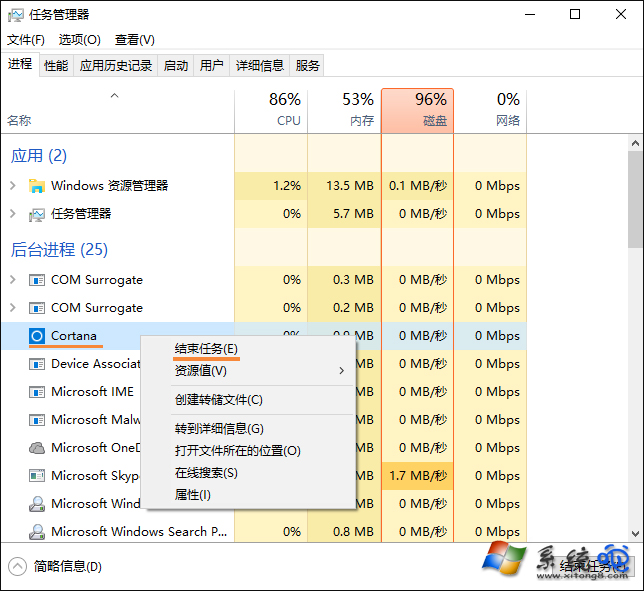
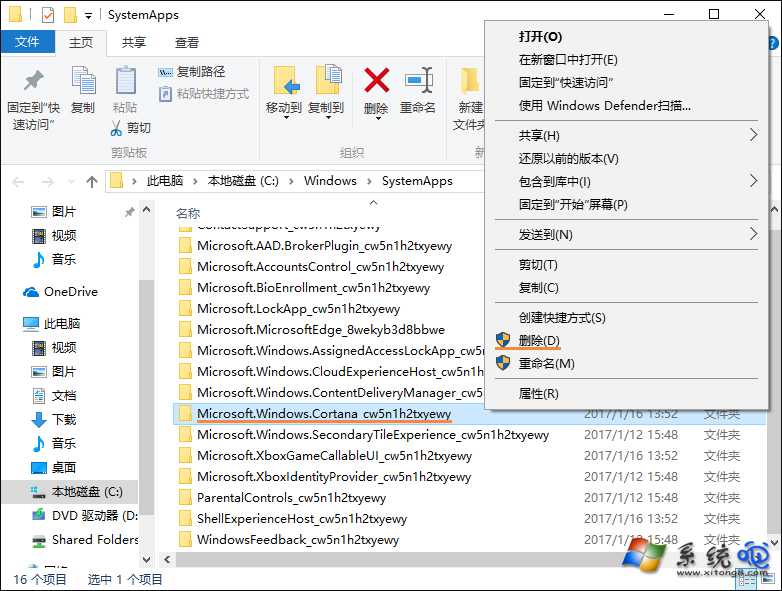
停用 Cortana 服務後進程仍常駐佔用記憶體。徹底關閉:任務管理員結束 Cortana 任務 → 快速刪除 C:\Windows\SystemApps\Microsoft.Windows.Cortana_cw5n1h2txyewy 資料夾(建議先備份)。

徹底關閉 Cortana 進程步驟

  1. Ctrl + Shift + Esc 開啟工作管理員,找到 Cortana 進程 → 右鍵 結束工作。
  2. 開啟 C:\Windows\SystemApps 資料夾。
  3. 在 Cortana 進程結束的瞬間,快速刪除 Microsoft.Windows.Cortana_cw5n1h2txyewy 資料夾(需系統管理員權限)。
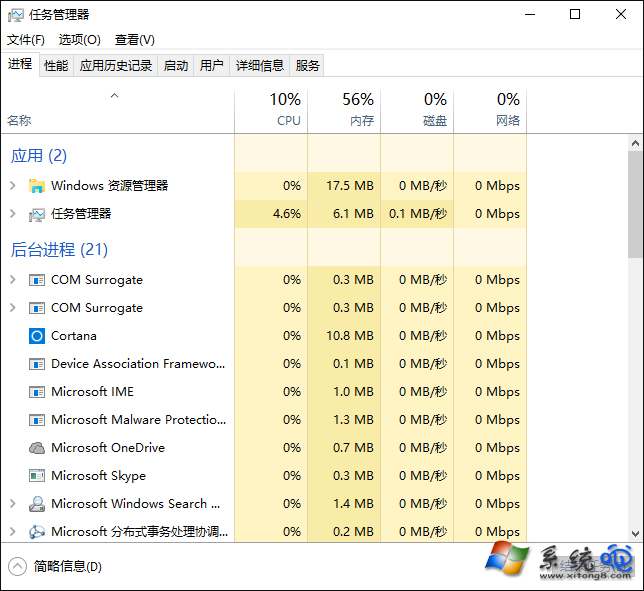
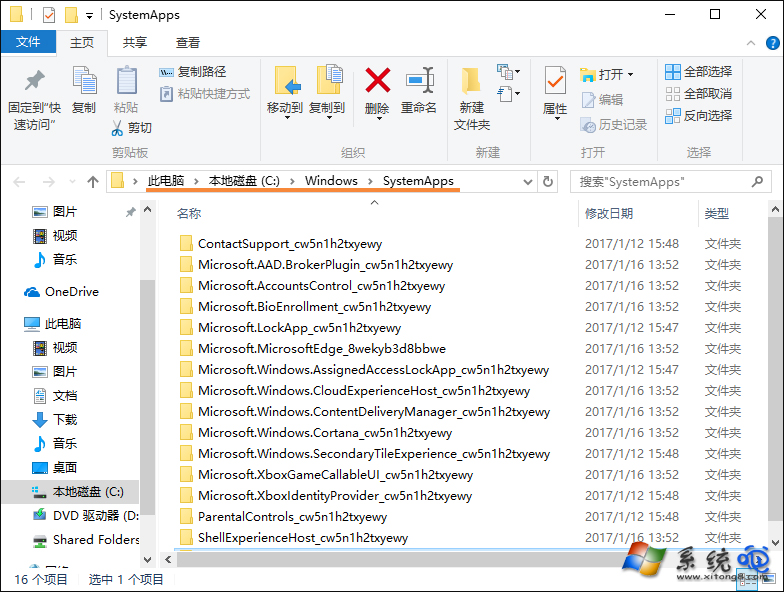
  4. 建議先複製備份該資料夾至他處,日後需恢復可放回。
任務管理員 Cortana SystemApps 資料夾 Cortana 資料夾 刪除確認

影響:本地搜尋仍可使用(Win+S、檔案總管搜尋),但失去語音助理、雲端搜尋、提醒等 Cortana 專屬功能。Win10 2004+ 版本 Cortana 已獨立為應用程式,可直接在「設定 → 應用程式」解除安裝,更簡單安全。

Copyright © Windows教程網 All Rights Reserved