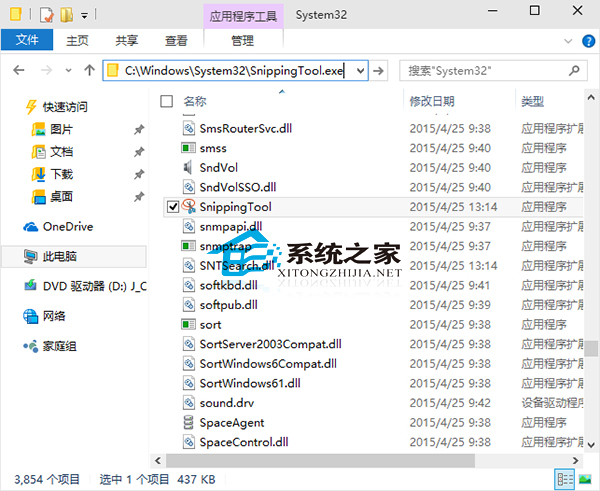
Win10 內建截圖工具功能足夠日常使用,路徑固定,亦可從開始功能表啟動。
C:\Windows\System32\SnippingTool.exe
需更強功能(延遲截圖、標記、雲端同步)可考慮 ShareX、Snipaste 等第三方工具。
Windows 10 查看硬碟讀寫速度:工作管理員→效能→磁碟即時監控
Win10 七大使用技巧:退位鍵瀏覽器返回、顯示副檔名、首頁設定、UAC、錯誤回報、工作列合併、更新重開機提醒
Windows 10 建立寬頻撥號連線 (PPPoE) 完整圖文教學:網路共用中心 → 設定新連線 → 寬頻 → 輸入帳密
Windows 10 預覽版更改預設輸入法完整教學:新增輸入法至設為預設 9 步驟圖解
Win10 控制台在哪?其實已改名為「設定」
Windows 10 更新顯示卡驅動程式操作方法
Windows 10 設定開機自動撥號寬頻連線(圖文教學)
Win10 變更預設瀏覽器教學:設定 Chrome/Firefox 為預設