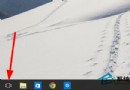
任務列跑到螢幕右側/左側?兩招秒移回底部。
同理可放置於左/右/頂,隨個人習慣調整。
Win10 使用支付寶付款提示「憑證不可用」怎麼解決?群組原則修改 User Agent 模擬 IE8 相容模式
Win10 如何查看系統是否永久啟動?slmgr.vbs -xpr 指令一鍵檢查授權狀態
Win10 虛擬機無法全螢幕?更新 VMware Tools 並啟用 Retina 解析度顯示
Win10 鍵盤失靈急救:一鍵啟用屏幕鍵盤圖文教程
Win10 啟用 BitLocker 磁碟加密保護資料安全
Win10 安裝 HP LaserJet M1213nf MFP 網路印表機完整教學:手動指定驅動與 TCP/IP 連接埠設定
Win10 修改 Microsoft 帳戶顯示名稱完整圖文教學
Win10 任務列點擊圖示直接切換視窗技巧(免預覽)