Windows XP Windows 7 Windows 2003 Windows Vista Windows 綜合教學 Linux 系統教學
Windows 10 Windows 8 Windows 2008 Windows NT Windows Server 電腦軟體教學

Win10 應用商店誤刪如何恢復?三大恢復方案:切換帳戶、等待更新、PowerShell 重新註冊

編輯:Windows 10 系統介紹

方案一:切換本機帳戶登入 (最簡單)

設定 → 帳戶 → 您的資訊 → 「改用本機帳戶登入」→ 登出重新登入 → 再切回 Microsoft 帳戶。應用商店常會自動恢復。

方案二:等待 Windows Update 自動修復

Microsoft 會透過累積更新自動修復缺失的系統應用程式 (含應用商店),保持系統更新通常可自動恢復。

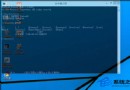
方案三:PowerShell 重新註冊應用商店 (進階)

  1. 「開始」→「所有應用程式」→「Windows PowerShell」右鍵 → 「以系統管理員身分執行」。
  2. 輸入指令 (路徑版本號可能因系統版本不同需調整):
Add-AppxPackage -Register "C:\Program Files\WindowsApps\Microsoft.WindowsStore_2015.7.22.0_x64__8wekyb3d8bbwe\AppxManifest.xml" -DisableDevelopmentMode
  1. Enter 執行,等待完成。
注意: 路徑中版本號 2015.7.22.0 可能不同,可用 Get-AppxPackage *WindowsStore* 查詢實際路徑。

總結建議順序

  1. 切換帳戶登入 (無風險、最快)。
  2. 檢查並安裝最新累積更新。
  3. PowerShell 重新註冊 (需確認確切路徑)。
Copyright © Windows教程網 All Rights Reserved