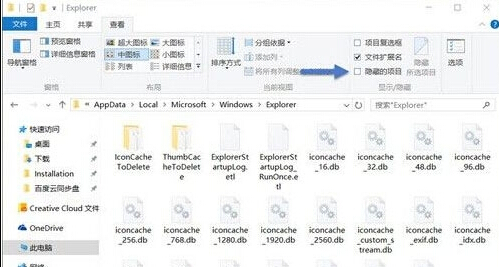
Win10 圖示快取存放於 %userprofile%\AppData\Local\Microsoft\Windows\Explorer,檔名 iconcache_*.db (32/48/96/256/1024/1280/1600/1920/2560/exif/idx/sr/wide/alternate)。手動全刪或用批次檔自動化 (含 taskkill /f /im explorer.exe 釋放鎖定) 重建快取,修復圖示異常、縮圖不顯示、錯位。
%userprofile%\AppData\Local\Microsoft\Windows\Explorer全選 iconcache_*.db → Shift+Del (若被鎖定無法刪除,改用批次檔)
cd /d %userprofile%\AppData\Local\Microsoft\Windows\Explorer
taskkill /f /im explorer.exe
attrib -h iconcache_*.db
del iconcache_*.db /a
start explorer
pause同目錄下 thumbcache_*.db,同樣批次檔修改 del thumbcache_*.db /a 即可清理縮圖快取,修復圖片/影片/音樂/文件縮圖不顯示、不刷新。