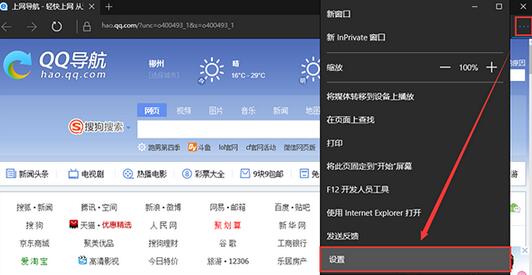
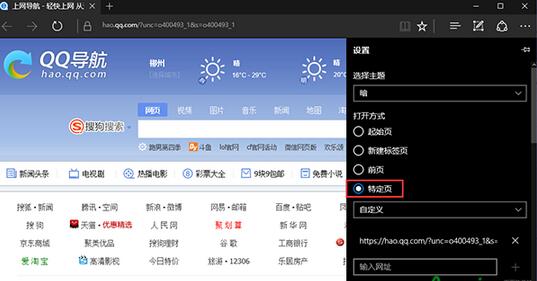
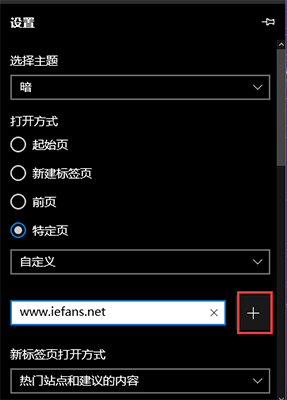
Edge 瀏覽器設定自訂首頁僅需三步驟,支援多網址同時開啟。
Win10 系統網速太慢?關閉 TCP 視窗自動調節層級解除頻寬限制提升吞吐量
Win10 使用 GPT 分割大容量硬碟?UEFI 模式 DiskPart 建立 EFI/MSR/主分割區
Windows 10 關閉工作列搜尋方塊教學
Windows 10 現代應用無法連網解決:netsh winsock reset 重置網路目錄
Win10 如何將 IE 瀏覽器圖示放到桌面 (登錄法)
Win10 通用產品金鑰與系統需求參考
Windows 10 任務檢視快速切換應用與虛擬桌面操作指南
Win10 週年更新 12 大新功能深度解析:Cortana 鎖屏、深色模式、Windows Hello 擴展