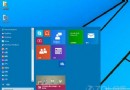
Windows 10 工作列預設顯示搜尋方塊,佔用空間且部分使用者偏好極簡工作列。可透過右鍵選單快速隱藏或改為搜尋圖示。本文說明操作步驟。
工作列右鍵 > 搜尋 > 隱藏/顯示搜尋圖示,即可快速調整工作列搜尋顯示模式,符合個人化偏好與螢幕空間需求。
Windows 10 安全模式可以上網嗎?啟用「含網路的安全模式」完整圖文教學
OneDrive 同步失敗/卡住?重置指令一鍵修復同步功能
Win10 Compact 壓縮技術節省硬碟空間:管理員 CMD 一鍵啟用,無需第三方工具
Win10 虛擬鍵盤新增文字預測功能(僅英文輸入/搜尋場景)
Win10 硬碟寫入快取開啟/關閉完整教學:提升效能或保護資料
Win10 應用商店無法開啟?清除 LocalCache 快取資料夾一鍵修復
Windows 跳過更新直接關機指令:shutdown -s -f -t 00 適用 XP 到 Win11
Win10 玩遊戲滑鼠延遲?關閉 Xbox Game Bar DVR 功能瞬間絲滑