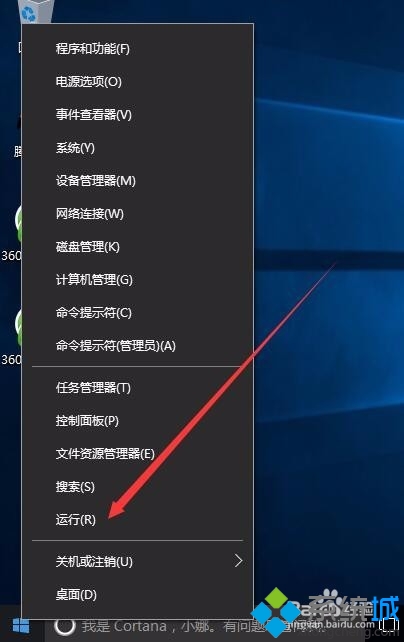
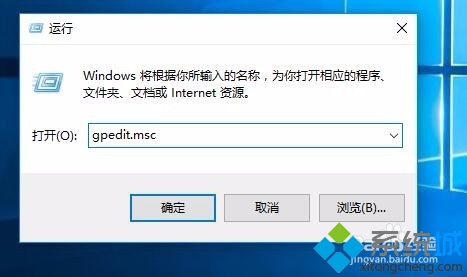
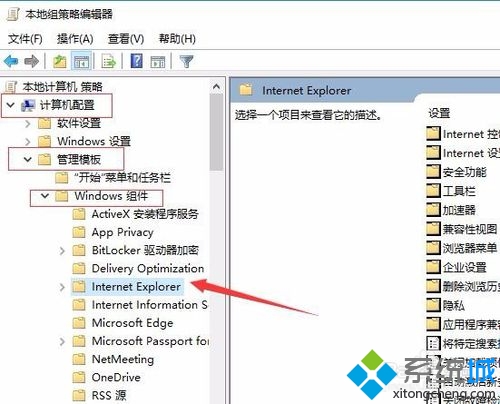
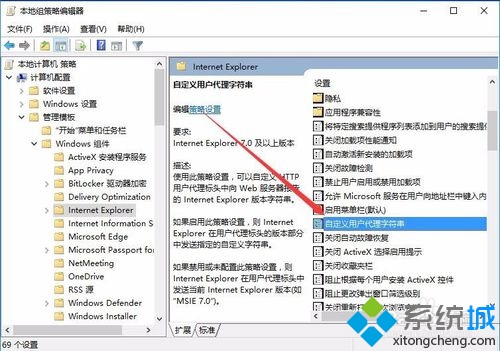
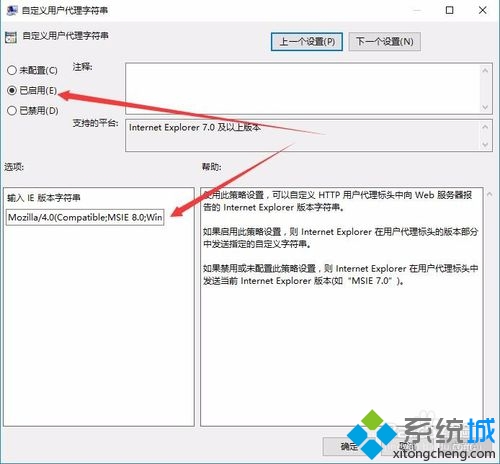
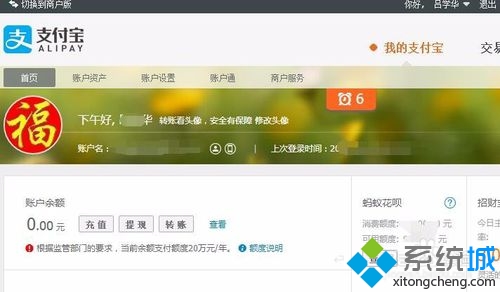
本文解決方案與 ID 21059 相同:透過群組原則設定 Internet Explorer 自訂 User-Agent 為 IE8 字串,解決支付寶控件不支援問題。請參考 ID 21059 完整步驟。
User-Agent 字串:Mozilla/4.0 (compatible; MSIE 8.0; Windows NT 6.1; Trident/4.0)
Mozilla/4.0 (compatible; MSIE 8.0; Windows NT 6.1; Trident/4.0)
Win10 執行遊戲跳出 0xc0000022 錯誤?啟用 DirectPlay 元件修復
Win10 升級後網速變慢?更新網卡驅動與調整 QoS 預留頻寬解決
Win10 如何設定自動關閉顯示器?電源選項自訂關閉螢幕時間
Win10 任務列移回螢幕底部的兩種快速方法
Win10 內建截圖工具完整使用教學
Win10 建立桌面捷徑兩種方法比較:拖放建立連結 vs 傳統發送到桌面
Windows 7 還是 Windows 10?六大升級理由 vs 四大保留 Win7 理由深度比較
Windows 10 開啟群組原則編輯器 (gpedit.msc) 兩大法:執行指令與開始選單搜尋