找回 IE11
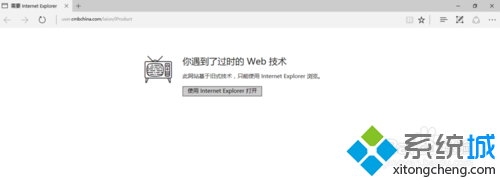
- Edge 開啟特定網站提示「需要 Internet Explorer」時,點選「開啟 Internet Explorer」
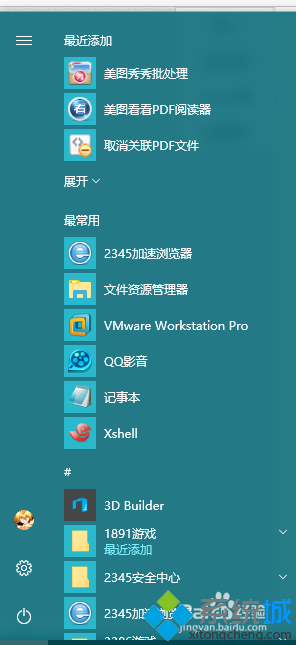
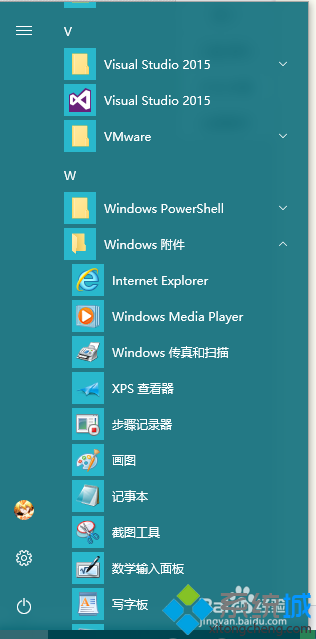
- 或「開始」 → 「所有應用程式」 → 「Windows 附屬應用程式」 → 「Internet Explorer」
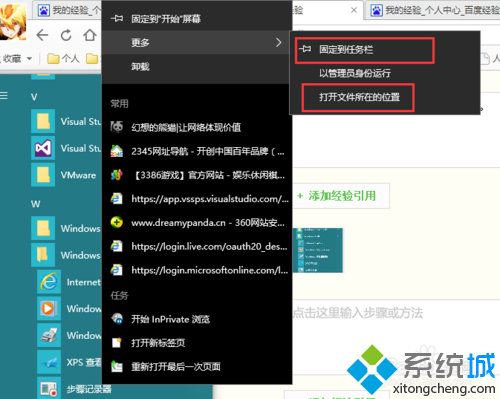
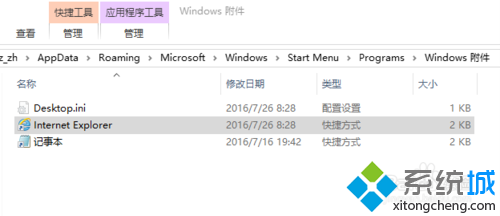
- 右鍵 IE 圖示 → 「更多」 → 「釘選到工作列」或「開啟檔案位置」複製捷徑到桌面
進階:每次開啟新工作階段 (多帳號登入)
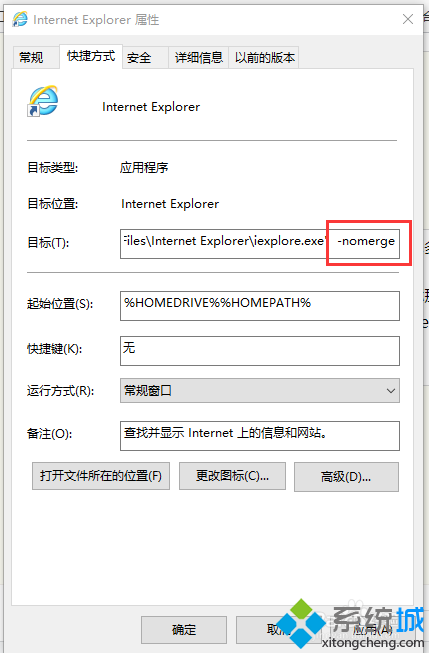
- 右鍵 IE 捷徑 → 「內容」 → 「捷徑」標籤
- 「目標」欄位修改為:
"C:\Program Files\Internet Explorer\iexplore.exe" -nomerge
- 「確定」套用
效果
加上 -nomerge 參數後,每次點擊捷徑都會開啟獨立的 IE 進程,可同時登入同一網站的不同帳號,互不干擾 Cookie/Session。