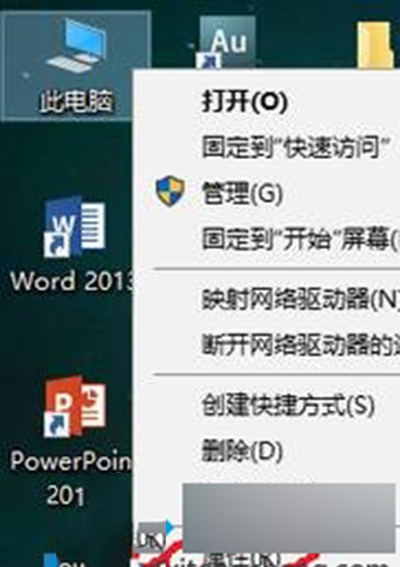
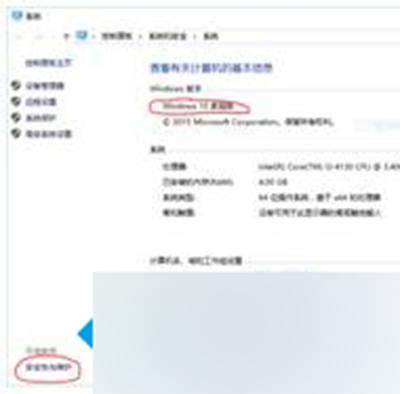
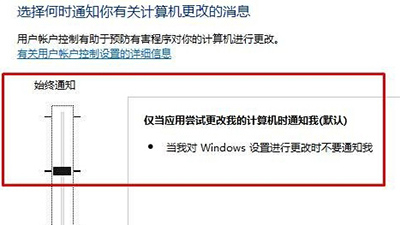
UAC 設定為「總是通知」 (最高級) 會阻擋 Edge 等現代應用的正常啟動流程。調整為預設第二級即可恢復 Edge 功能,同時保留基本安全防護。
Windows 10 預覽版故障恢復電腦教學:保留檔案重置 vs WinRE 環境恢復雙管道
Win 10 任務列搜尋列(搜尋 Web 和 Windows)怎麼隱藏?一鍵關閉教學
Win10 10550 預覽版尚未推送,內測中請耐心等待
Win10 KB3140743 累積更新安裝失敗因應對策
Win10 任務列縮圖預覽怎麼開?啟用「快速預覽桌面」功能
Win10 開始選單「睡眠」選項消失?修改群組原還原睡眠功能
Windows 10 Mobile RedStone 14283 更新內容彙總 (精簡版)
Win10 鍵盤失靈急救:一鍵啟用屏幕鍵盤圖文教程