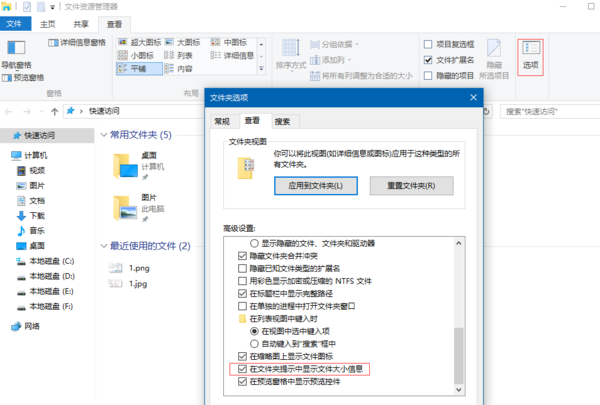
滑鼠懸停於檔案/資料夾上時,工具提示會顯示大小資訊,無需右鍵查看內容即可快速得知檔案大小。
Win10 更新驅動後閃屏無法進入系統?三大解決方案助你恢復
Win10 預覽版備份與還原登錄表完整教學:防止誤操作的最佳保險
Windows 10 程式被阻擋「發行者不受信任」解除封鎖:Internet Explorer 信任發行者設定
Windows 10 必學 20 個 Win 鍵組合鍵 (電腦百事網版):效率神技完整圖表
Windows 10 Build 9888 新增設定應用內建搜尋功能
Win10 防火牆打不開?啟動 Windows Firewall 服務解決
Windows 10 呼叫內建 IE11 瀏覽器教學:從 Edge 切換至 IE 相容模式
Win10 如何將「執行」指令釘選到開始功能表?建立特殊捷徑一鍵固定