Win 10 分離小娜與搜尋:群組原則停用 Cortana 保留搜尋功能
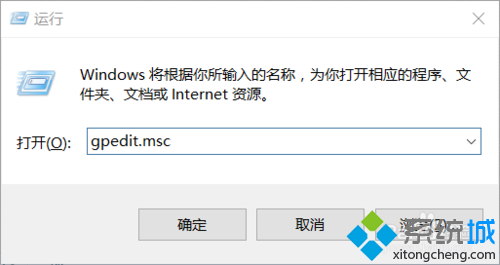
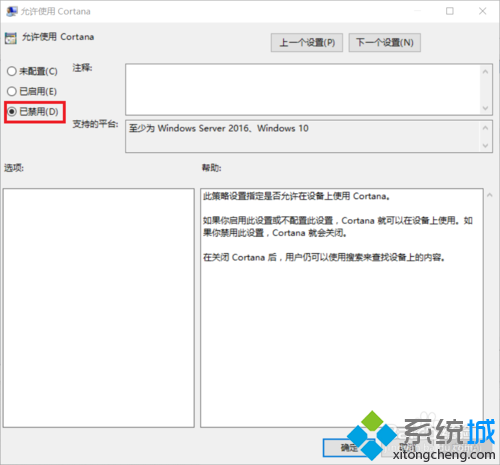
gpedit.msc
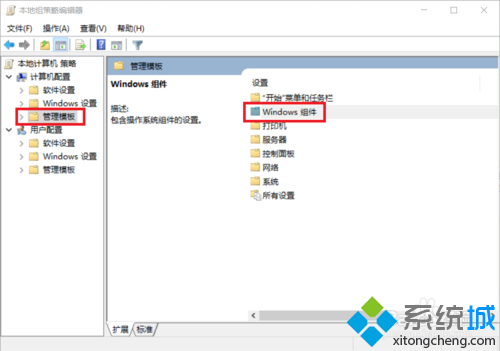
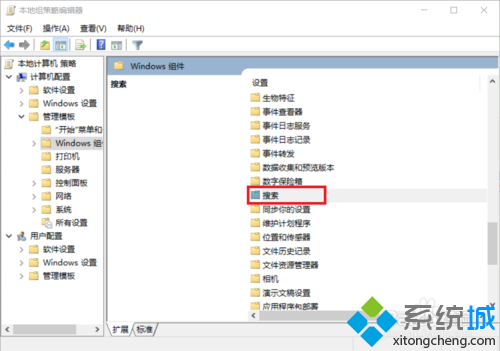
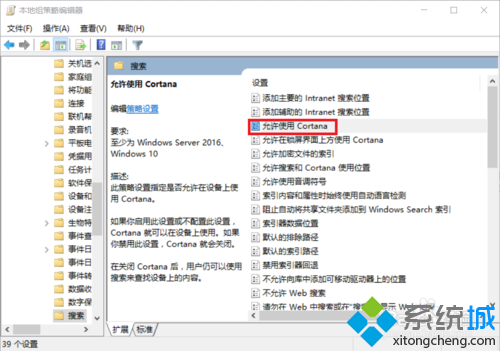
此法保留本機/網路搜尋功能,僅移除語音助理與個人化推薦。
Win10 註冊表關閉鎖定畫面恢復傳統登入介面
Win10 找回經典日期時間面板:登錄表啟用 UseWin32TrayClockExperience 體驗傳統介面
Windows 10 使用必知五大觀念:升級風險、相容性、設定分散、DVD 移除、顯卡驅動問題
Windows 10 寬帶連線錯誤 813 完美解決:批次檔自動斷線關機法
Win10 正式版啟用暗黑皮膚主題:同 ID 22408 自建 .theme 檔導入系統級深色介面
Win10 如何用命令實現定時關機?shutdown 指令完整教學
Win10 設定自動關機完整教學:工作排程器建立定時關機任務
Win10 檔案總管「主頁」恢復初始狀態:一條 CMD 指令清除自動目的地快取