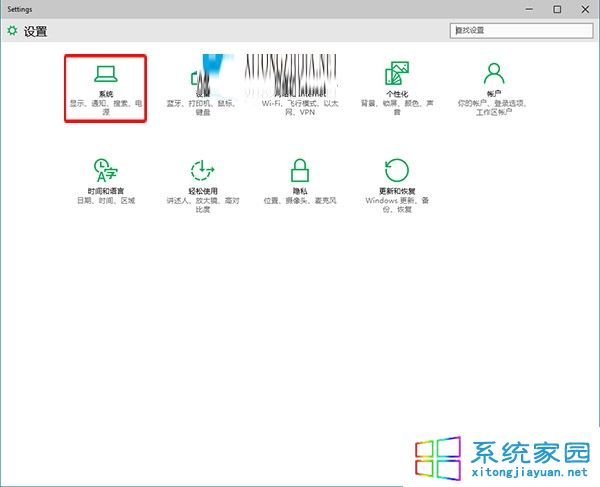
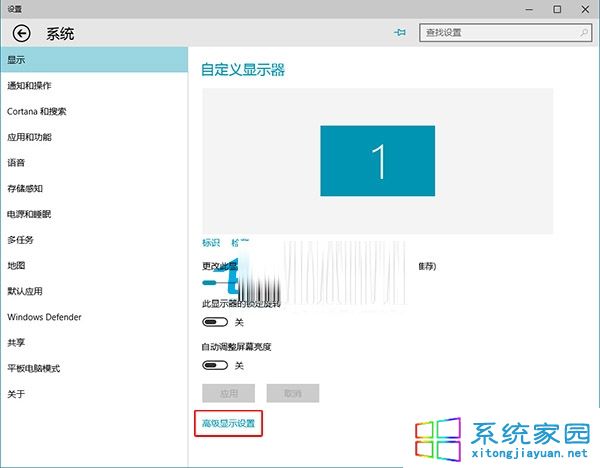
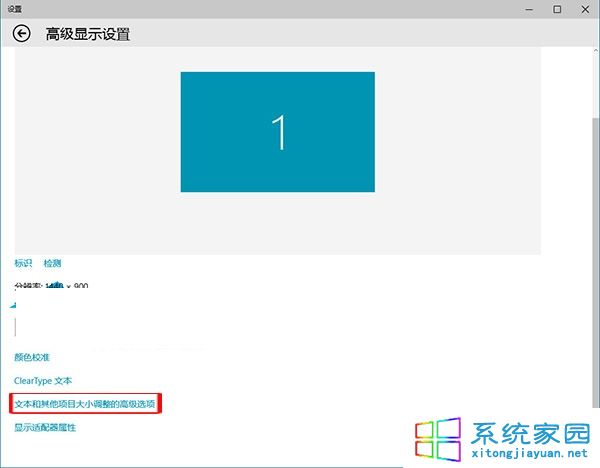
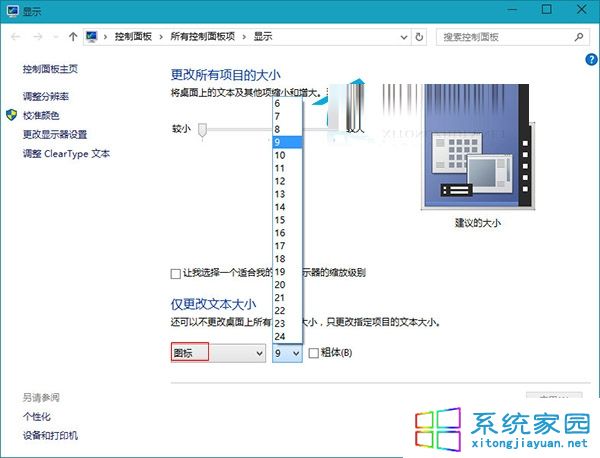
桌面圖示文字突然變大,可能誤觸設定。恢復方法:
即可恢復習慣的圖示文字大小。
Win10 開機緩慢四大解決方案完整教學
Win10 登錄表編輯器搜尋功能 (F3) 無法使用解決方案
Win10 判斷上次是關機還是休眠:PowerShell 查詢 Kernel-Boot 事件 ID 27
Win10 7 月底完成正式版,顯示卡支援 DirectX 12 功能等級完整對照表 (Feature Level 12_1/12_0/11_1/11_0)
Win10 右鍵選單加入 Windows Defender 掃描選項:匯入 .reg 檔一鍵添加,右鍵即掃
Win10 gpedit.msc 打不開?修改登錄表 Restrict_Run 值解除封鎖
微軟正式推送 Windows 10,Win7/8.1 正版用戶免費升級
Win10 設定開機密碼完整指南:字元、PIN 碼、圖片密碼三選一