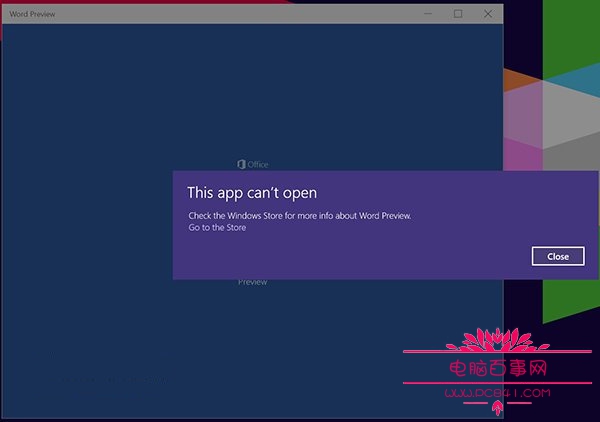
Windows 10 預覽版使用者常遇到觸控版 Office(Universal Windows Platform 版)無法啟動、閃退。根因在於 Windows Store 授權服務 (ClipSVC) 快取損毀,單純重裝無效,需清除授權快取後再重裝。
@echo off
net stop clipsvc
if "%1"=="" (
    echo ==== BACKING UP LOCAL LICENSES
    move "%windir%\ServiceProfiles\LocalService\AppData\Local\Microsoft\ClipSVC\Tokens.dat" "%windir%\ServiceProfiles\LocalService\AppData\Local\Microsoft\ClipSVC\Tokens.bak"
)
if "%1"=="recover" (
    echo ==== RECOVERING LICENSES FROM BACKUP
    copy "%windir%\ServiceProfiles\LocalService\AppData\Local\Microsoft\ClipSVC\Tokens.bak" "%windir%\ServiceProfiles\LocalService\AppData\Local\Microsoft\ClipSVC\Tokens.dat"
)
net start clipsvc
license.bat(儲存類型選「所有檔案」,位置任意)。net stop clipsvc:停止授權服務釋放檔案鎖定。move Tokens.dat Tokens.bak:備份並移除損毀的授權快取。license.bat recover。華碩筆電 Win10 Fn+F8 無反應?安裝 ATK 熱鍵驅動或螢幕鍵盤切換 NumLock
Windows 10 移除桌面捷徑小箭頭:批次檔修改登錄檔 Shell Icons 29 值法
Win10 用 bat/bcdedit 實現開機 F8 進安全模式 (同 22627)
Windows 10 開啟應用程式商店提示 Explore.EXE 找不到元素的解決方法
Windows 10 修改 Edge 瀏覽器/應用程式商店啟動畫面背景色:登錄 BackgroundColor 自訂 RGB 色碼
Windows 10 如何快速打開 HTML 檔案?重設預設應用程式即可解決