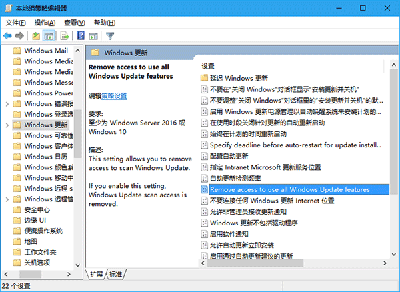
週年更新版 Cortana 無法從設定關閉,登錄檔強制停用:
regedit
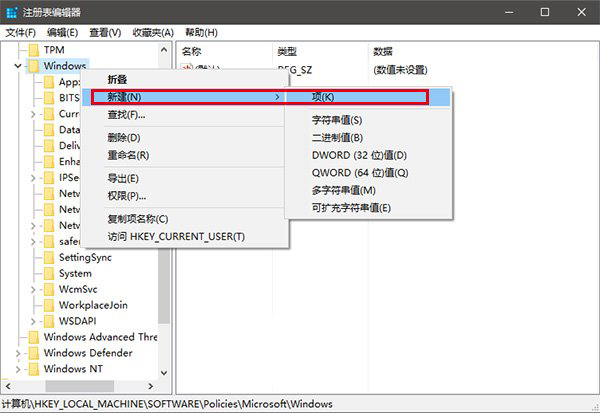
HKEY_LOCAL_MACHINE\SOFTWARE\Policies\Microsoft\Windows
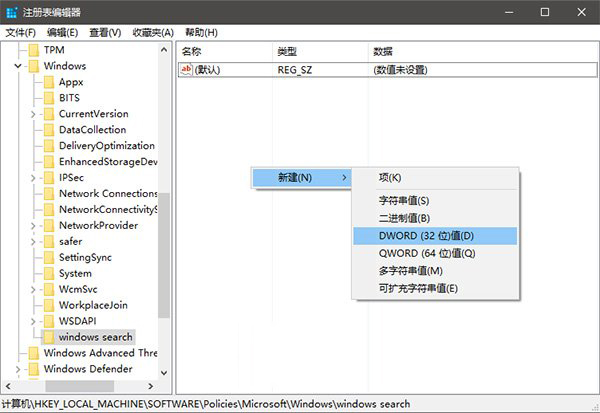
Windows Search
AllowCortana
explorer.exe
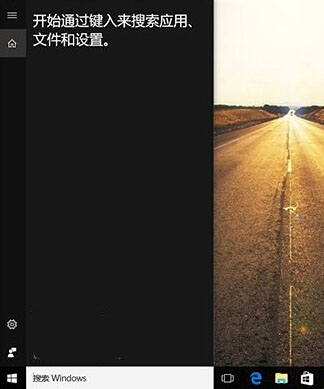
恢復 Cortana:刪除 AllowCortana 或改值為 1 後重啟檔案總管即可。
1
Windows 10 工作列通知區域圖示固定顯示兩大法:拖曳法與設定法完整教學
Win10 快速開啟已安裝應用程式檔案位置的四種方法:桌面捷徑、開始選單、工作管理員、啟動項
Win10 磁碟碎片整理與 SSD 優化:系統內建「優化磁碟機」工具正確用法
Windows 10 9879 鍵盤指示燈不亮問題現況
Win10 累積更新 KB3081424 安裝失敗、卡在 75% 還原變更怎麼辦?暫停更新等待官方修復版本
Windows 10 一鍵恢復預設內建應用:PowerShell 指令重新註冊 AppX 套件
Win10 遠程桌面連接啟用與使用教程:兩種快速調用方式
Windows 10 桌上型電腦螢幕亮度調整教學:電源選項與顯示器實體按鈕雙重方案