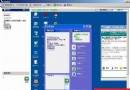
桌面右鍵→「新增」→「捷徑」,位置輸入 C:\Windows\System32\shutdown.exe -s -t 10(-s 關機,-t 10 秒倒數)。命名「快速關機」。同理建立重開機捷徑:shutdown.exe -r -t 10。可加 -c "即將關機,請儲存工作" 顯示提示訊息(最多 127 字元)。
C:\Windows\System32\shutdown.exe -s -t 10
shutdown.exe -r -t 10
-c "即將關機,請儲存工作"
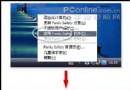
按 Ctrl+Alt+Del 呼叫工作管理器→選單列「關機」→按住鍵盤 Ctrl 不放→點選「關機」或「重新開機」。系統略過儲存設定等待,幾乎瞬間完成關機/重開機動作。
微軟為抗衡 Linux 在泰國大幅降價 Windows XP 與 Office
Windows XP 空連接機制與安全設定詳解
為 Windows XP 共享資料夾設定密碼存取控制
史提夫·納許:小牛隊核心控衛的合約前景與球隊未來
滑鼠按太久手酸?Windows XP 「單鍵鎖定」功能解放食指,拖曳選取不再需按住
Windows XP Net User 命令進階實戰:帳號管理、時間限制與到期控制
Windows XP 网际网路连接共享 (ICS) 完整实战指南
Windows XP 安装与配置 UNIX 打印服务 (LPR) 完整步骤