案例背景
20GB 硬碟 5 個分區,使用 Partition Magic 7.0 合併 D、E 槽,未備份 E 槽資料,合併後 E 槽檔案在「我的電腦」消失,但資料實體未損壞,僅分區表/檔案系統中繼資料受損。
解決思路
Ghost 可將整個分區/硬碟製作成鏡像檔 (.gho),Ghost Explorer (GhostExp.exe) 可掛載鏡像檔並提取任意單一檔案/資料夾,無需完整還原整個分區。
操作步驟
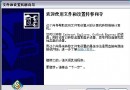
- 以 Ghost (DOS/WinPE 版) 將損壞的分區/整顆硬碟備份為鏡像檔
backup.gho,存放於其他健康分區/外接硬碟。
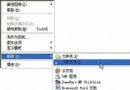
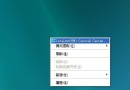
- Windows 下執行
GhostExp.exe (隨 Ghost 隨附)。
- File → Open → 選擇
backup.gho,即可看到合併前 D、E 兩個分區的完整目錄結構。
- 在右側檔案列表中選取需恢復的檔案/資料夾 → 右鍵 → Extract (恢復)。
- 選擇恢復目的地(如
F:\Recovered) → 確定,檔案即被提取出來。
- 重複步驟 4-5 直到所有重要資料恢復完畢。
關鍵優勢
- 不需重新分區/格式化,不影響現有系統與資料。
- 可精準提取單一檔案,避免還原整個損壞分區帶來的邏輯錯誤。
- 支援跨平台:DOS 版 Ghost 備份,Windows 版 GhostExp 提取,互通無障礙。
避坑提醒
- 合併分區前務必完整備份,Partition Magic 操作風險極高。
- 鏡像檔建立過程中嚴禁對來源分區進行任何讀寫,建議在 WinPE/DOS 純淨環境下操作。
- 若檔案系統嚴重損壞導致目錄結構無法識別,嘗試
GetDataBack、R-Studio 等深度掃描工具。