Windows XP Windows 7 Windows 2003 Windows Vista Windows 綜合教學 Linux 系統教學
Windows 10 Windows 8 Windows 2008 Windows NT Windows Server 電腦軟體教學

解讀 XP 系統 TMP 暫存檔來源與清理策略:兩大產生機制詳解

編輯:XP 系統基礎知識

機制一:系統/程式異常結束遺留的暫存檔

  • 位置: C:\Windows\Temp、C:\Documents and Settings\Username\Local Settings\Temp
  • 特徵: 副檔名 .tmp,檔名多為亂碼(如 ~DF123.tmp)。
  • 原因: 程式正常結束會自動刪除暫存檔;系統當機、強制關機、程式崩潰導致清理程式碼未執行。
  • 清理: 磁碟清理工具(cleanmgr)勾選「暫存檔案」→ 確定,或手動刪除上述資料夾內所有檔案(安全模式下更徹底)。

機制二:Machine Debug Manager (mdm.exe) 產生的 0 位元組 TMP 檔

  • 位置: C:\Windows\ 根目錄。
  • 特徵: 檔名極長、大小 0 位元組、刪除後短時間內重生。
  • 原因: Visual Studio/Office/IE 安裝的 Script Debugger 元件 (mdm.exe) 週期性建立偵錯用暫存檔。
  • 徹底禁用:
    1. 刪除或重命名 C:\Windows\System\mdm.exe (或 System32)。
    2. msconfig → 「啟動」→ 取消勾選「Machine Debug Manager」。
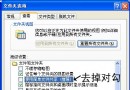
    3. IE → 「工具」→ 「網際網路選項」→ 「進階」→ 勾選「停用指令碼偵錯 (Internet Explorer)」與「停用指令碼偵錯 (其他)」。

管理建議

  • 定期執行磁碟清理(每週一次)。
  • 不進行程式開發/偵錯的用戶,建議徹底禁用 Machine Debug Manager。
  • 暫存檔資料夾可透過環境變數 TEMP、TMP 重導向至大空間非系統磁碟,減輕 C 槽壓力。
Copyright © Windows教程網 All Rights Reserved