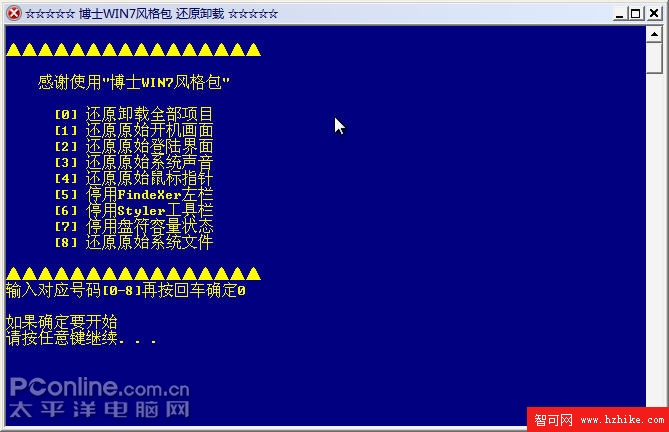
解除安裝提供多選項,依需求選擇。注意:解除安裝不會刪除安裝目錄,需手動刪除。
圖 33 解除安裝選項
安裝「博士 Win7 風格包 1.3」後,XP 樸實外觀秒變 Win 7 俊俏面容。Win 7 尚在測試,正式版尚遠,此包讓多數用戶「望梅止渴」。
wfpdisable.exe
boot.ini
/bootlogo /noguiboot
/
找回 Windows XP 被隱藏的元件:工作列分組、系統匣圖示、輸入法、開始選單與安全性分頁
Windows XP 使用者必看:六大禁忌與避坑指南,別再踩雷!
Windows 桌面圖示不見了?一鍵找回預設與捷徑圖示完整指南
TCP/IP 進階配置實戰:MAC 修改、連接埠防護、多網路環境切換與虛擬網卡屏蔽惡意網站
啟用 Windows XP 多使用者同時遠端桌面連線:修改登錄檔完整教學
Windows XP 刪除使用者帳號的完整教學(含無法刪除時的解決方案)
Windows XP 中停用或管理 DNS 用戶端快取的完整指南
打造萬能 Windows XP Ghost 映像檔:跨硬體部署完全指南