Windows Update 執行過程中常遇到各種錯誤代碼,導致無法安裝修補程式。本文彙整最常見的錯誤類型與對應解決方案,涵蓋 Cryptographic 服務、登錄檔損毀、IE 設定、系統時間、Hosts 檔案等核心問題,即使是未授權的 XP 也能參考操作。
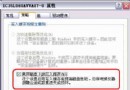
「服務」中找到 Cryptographic Services,啟動類型設為「自動」。若其依賴的 Remote Procedure Call (RPC) 未啟動,亦需一併啟用。若 GUI 無法操作,可用 XP 光碟進入「修復主控台」執行 Enable RPCSS Service_Auto_Start。
命令提示字元依序執行:
net stop cryptsvc
ren C:\Windows\System32\catroot2 oldcatroot2
net start cryptsvc
若仍失效,嘗試刪除 C:\Windows\System32\catroot2 內所有檔案(必要時進安全模式刪除)。
下載並安裝微軟針對此問題釋出的 Q817287 修補程式。
先嘗試上述方法。若無效,於命令提示字元執行 net start cryptsvc,再依序註冊以下 DLL:
regsvr32 softpub.dll
regsvr32 wintrust.dll
regsvr32 initpki.dll
regsvr32 dssenh.dll
regsvr32 rsaenh.dll
regsvr32 gpkcsp.dll
regsvr32 sccbase.dll
regsvr32 slbcsp.dll
regsvr32 cryptdlg.dlldel /q C:\Windows\System32\Catroot2\Edb.log 刪除記錄檔,讓系統重建,再重跑 Windows Update。C:\Windows\System32\catroot2 所有檔案;若無效,從安裝光碟複製 Cryptui.dll、Certcli.dll 覆蓋 System32 同名檔;再嘗試用 regsvr32 /u 解除安裝上述 DLL,重開機後以 regsvr32 重新註冊。C:\Program Files\WindowsUpdate 及 C:\Program Files\WindowsUpdate\V4 所有檔案。C:\Windows\System32\drivers\etc\hosts,刪除含「Akamai」「Microsoft」關鍵字的行。於隱藏資料夾 C:\Windows\System32\inf 找到 IE.inf,右鍵選「安裝」。若無效,下載微軟 mcrepair.exe 執行修復,並備份/還原 Asycfilt.dll、Oleaut32.dll、Olepro32.dll、Stdole2.tlb。
檢查 C:\WUTemp 目錄,手動安裝裡面的修補程式;或刪除 WUTemp 資料夾與 C:\Program Files\WindowsUpdate\wuhistv3.log 後重試。