當您需要更換已安裝完成的 Windows XP 產品金鑰時,主要有兩種途徑:一是透過內建的啟動精靈(GUI 介面)操作,二是利用 WMI(Windows Management Instrumentation)腳本自動化完成。本文將詳細說明這兩種方法的具體步驟,並提供針對 SP1 及非 SP1 環境的現成 VBS 腳本,方便不同需求的使用者套用。
微軟建議在修改前先建立一個系統還原點,以防操作失誤導致系統異常。
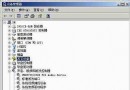
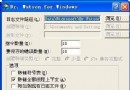
regedit 開啟登錄編輯器。HKEY_LOCAL_MACHINE\Software\Microsoft\WindowsNT\CurrentVersion\WPAEvents,在右側找到 OOBETimer,右鍵選擇「修改」。%systemroot%\system32\oobe\msoobe.exe /a 啟動啟動精靈。下方提供兩支 VBS 腳本,分別適用於「已安裝 SP1」與「未安裝 SP1」的 Windows XP 環境。使用方式相同:將腳本儲存為 .vbs 檔,於命令提示字元以 cscript 執行並帶入新金鑰參數。
' WMI Script - ChangeVLKeySp1.vbs
' Windows XP With SP1
' This script changes the product key on the computer
'***************************************************************************
ON ERROR RESUME NEXT
if Wscript.arguments.count < 1 then
  Wscript.echo "Script can't run without VolumeProductKey argument"
  Wscript.echo "Correct usage: Cscript ChangeVLKeySp1.vbs ABCDE-FGHIJ-KLMNO-PRSTU-WYQZX"
  Wscript.quit
end if
Dim VOL_PROD_KEY
VOL_PROD_KEY = Wscript.arguments.Item(0)
VOL_PROD_KEY = Replace(VOL_PROD_KEY,"-","") 'remove hyphens if any
for each Obj in GetObject("winmgmts:{impersonationLevel=impersonate}").InstancesOf ("win32_WindowsProductActivation")
  result = Obj.SetProductKey (VOL_PROD_KEY)
  if err <> 0 then
    WScript.Echo Err.Description, "0x" & Hex(Err.Number)
    Err.Clear
  end if
Next' WMI Script - ChangeVLKey2600.vbs
' Windows XP Without SP1
' This script changes the product key on the computer
'***************************************************************************
ON ERROR RESUME NEXT
if Wscript.arguments.count < 1 then
Wscript.echo "Script can't run without VolumeProductKey argument"
Wscript.echo "Correct usage: Cscript ChangeVLKey2600.vbs ABCDE-FGHIJ-KLMNO-PRSTU-WYQZX"
Wscript.quit
end if
Dim VOL_PROD_KEY
VOL_PROD_KEY = Wscript.arguments.Item(0)
VOL_PROD_KEY = Replace(VOL_PROD_KEY,"-","") 'remove hyphens if any
Dim WshShell
Set WshShell = WScript.CreateObject("WScript.Shell")
WshShell.RegDelete "HKLM\SOFTWARE\Microsoft\Windows NT\CurrentVersion\WPAEvents\OOBETimer" 'delete OOBETimer registry value
for each Obj in GetObject("winmgmts:{impersonationLevel=impersonate}").InstancesOf ("win32_WindowsProductActivation")
result = Obj.SetProductKey (VOL_PROD_KEY)
if err <> 0 then
WScript.Echo Err.Description, "0x" & Hex(Err.Number)
Err.Clear
end if
Next.vbs 檔放至 C 槽根目錄(或任意資料夾)。C:\ChangeVLKeySp1.vbs ABCDE-FGHIJ-KLMNO-PRSTU-WYQZX提醒:請務必使用合法授權的產品金鑰,並確認腳本版本與系統 Service Pack 狀態相符,以免造成啟動失敗。