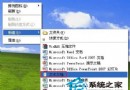
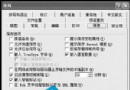
Windows XP 使用者常遇到將字型檔 (.ttf/.fon) 複製到 C:\Windows\Fonts 卻不彈出「安裝新字型」對話框、字型無法使用、字型資料夾「檔案」選單缺少「安裝新字型」選項。根本原因是特殊系統資料夾 Fonts 依賴隱藏檔 desktop.ini 定義其行為,優化工具誤刪此檔導致功能失效。本文提供一鍵修復方案。
C:\Windows\Fonts 無反應、不安裝。desktop.ini。C:\Windows\Fonts 是「系統特殊資料夾」,其行為 (如安裝字型對話框、特殊檢視) 由資料夾內的 desktop.ini 定義:
[.ShellClassInfo]
UICLSID={BD84B380-8CA2-1069-AB1D-08000948F534}
許多「系統優化/清理」工具會掃描並刪除所有 desktop.ini,誤刪此檔導致字型資料夾退化為普通資料夾,失去字型安裝功能。
[.ShellClassInfo]
UICLSID={BD84B380-8CA2-1069-AB1D-08000948F534}C:\Windows\Fonts\desktop.ini (編碼選 ANSI/UTF-8 均可)。desktop.ini → 「內容」→ 勾選 「唯讀」 與 「隱藏」 → 確定。explorer.exe (工作管理員 → 進程 → 結束 explorer.exe → 檔案 → 新增工作 → 輸入 explorer.exe)。C:\Windows\Fonts。若想確認現有 desktop.ini 內容:
TYPE C:\Windows\Fonts\desktop.ini。C:\Windows\Fonts\desktop.ini 按 Enter (可繞過隱藏屬性直接開啟)。Fonts, Printers, Control Panel 等) 的 desktop.ini 清理。C:\Windows\Fonts\desktop.ini 到安全位置。這個問題看似棘手,實則只需一個 2 行文字的 desktop.ini 即可完美修復。下次遇到字型安裝失效,別急著重灌,先檢查這個關鍵檔案是否存在。