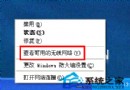
裝 SP2 後插入 USB 隨身碟,裝置管理員正常辨識,但「我的電腦」不見磁碟機。主因:網路磁碟機代號與系統自動指派給 USB 的代號衝突。
WinXP 關機後自動重開機?三大原因與對應解法一次看懂
WinXP 怎麼看系統是 32 位元還是 64 位元?兩種最快查法圖解
WinXP boot.ini 遺失怎麼修復?記事本重建開機選單完整教學
WinXP 如何執行桌面清理精靈?整理捷徑圖示教學
打造 Windows 鋼鐵防線:13 項核心安全防護措施
MSN Messenger 登入失敗?0x81000370 錯誤完整解決指南
Windows AT 指令實戰:排程備份、定時關機、網路訊息提醒、刪除排程
WinXP 開啟防火牆例外通訊港教學:遠端桌面/伺服器應用必備