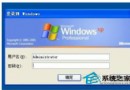
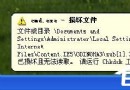
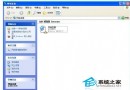
Windows 搜尋功能突然無法使用、搜尋列空白或報錯「找不到執行搜尋小幫手所需的檔案」,通常是註冊表關鍵機碼遺失或損毀所致。本文提供可直接匯入的 .reg 檔內容,一鍵修復搜尋功能。
Windows Registry Editor Version 5.00

[HKEY_LOCAL_MACHINE\SOFTWARE\Microsoft\Windows\CurrentVersion\Explorer\Desktop\NameSpace]
[HKEY_LOCAL_MACHINE\SOFTWARE\Microsoft\Windows\CurrentVersion\Explorer\Desktop\NameSpace\{1f4de370-d627-11d1-ba4f-00a0c91eedba}]
@="Computer Search Results Folder"

[HKEY_LOCAL_MACHINE\SOFTWARE\Microsoft\Windows\CurrentVersion\Explorer\Desktop\NameSpace\{450D8FBA-AD25-11D0-98A8-0800361B1103}]
@=""
"Removal Message"="@mydocs.dll,-900"

[HKEY_LOCAL_MACHINE\SOFTWARE\Microsoft\Windows\CurrentVersion\Explorer\Desktop\NameSpace\{645FF040-5081-101B-9F08-00AA002F954E}]
@="Recycle Bin"

[HKEY_LOCAL_MACHINE\SOFTWARE\Microsoft\Windows\CurrentVersion\Explorer\Desktop\NameSpace\{e17d4fc0-5564-11d1-83f2-00a0c90dc849}]
@="Search Results Folder"

[HKEY_CLASSES_ROOT\CLSID\{e17d4fc0-5564-11d1-83f2-00a0c90dc849}]
@="Search Results Folder"
"LocalizedString"=hex(2):40,00,25,00,53,00,79,00,73,00,74,00,65,00,6d,00,52,00,\
  6f,00,6f,00,74,00,25,00,5c,00,73,00,79,00,73,00,74,00,65,00,6d,00,33,00,32,\
  00,5c,00,53,00,48,00,45,00,4c,00,4c,00,33,00,32,00,2e,00,64,00,6c,00,6c,00,\
  2c,00,2d,00,33,00,30,00,35,00,32,00,30,00,00,00
"IntroText"=hex(2):40,00,25,00,53,00,79,00,73,00,74,00,65,00,6d,00,52,00,6f,00,\
  6f,00,74,00,25,00,5c,00,73,00,79,00,73,00,74,00,65,00,6d,00,33,00,32,00,5c,\
  00,53,00,48,00,45,00,4c,00,4c,00,33,00,32,00,2e,00,64,00,6c,00,6c,00,2c,00,\
  2d,00,33,00,31,00,37,00,35,00,34,00,00,00
修復搜尋.reg(編碼選 ANSI 或 UTF-8),桌面即可。explorer.exe(工作管理員 → 找到「Windows 檔案總管」→ 右鍵「重新啟動」)。regsvr32 jscript.dllregsvr32 vbscript.dllregsvr32 mshtml.dllregsvr32 /i shdocvw.dllsfc /scannow適用版本:Windows XP / Vista / 7 / 8 / 10 / 11(機碼路徑相同)。