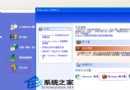
網路上破解 XP 密碼的方法五花八門,多數失效甚至損壞系統。經實測,Windows PE + 替換系統檔 `sfcfiles.dll` 穩定可行,適用於 NTFS 分區,不損壞資料。
前置準備
- 下載 PE Builder 製作 Windows PE 開機光碟(約 100MB,支援 FAT32/NTFS 讀寫、網路存取、圖形介面)。
- 下載修改版 `sfcfiles.dll`(繞過 Windows 檔案保護機制的版本)。
實戰步驟
- PE 光碟開機,進入 PE 系統桌面。
- 進入系統目錄 `system32`:
XP 路徑:`C:\Windows\system32`
Win2000 路徑:`C:\WINNT\system32`
- 將原 `sfcfiles.dll` 改名為 `sfcfiles.lld`(備份)。
- 複製修改版 `sfcfiles.dll` 覆蓋至 `system32` 目錄。
- 重新開機進入 XP 硬碟系統。
- 登入畫面彈出「Windows 檔案保護」視窗 → 點選「詳細資料」 → 選擇 `Administrator` → 點選「設定密碼」 → 重設超級管理員密碼。
- 以新密碼登入系統。
善後處理
密碼重設後,為避免每次開機彈出檔案保護視窗:
控制台 → 系統 → 自動更新 → 取消相關勾選,或移除修改版 `sfcfiles.dll` 恢復原檔。
注意:此法修改核心系統檔,屬進階操作。非必要勿用,優先嘗試「密碼重設磁碟」、「安全模式 Administrator」、「NTFSDOS」等非侵入式方法。