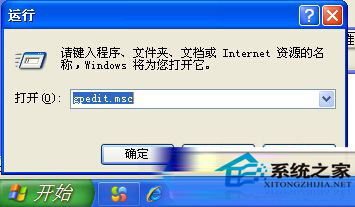
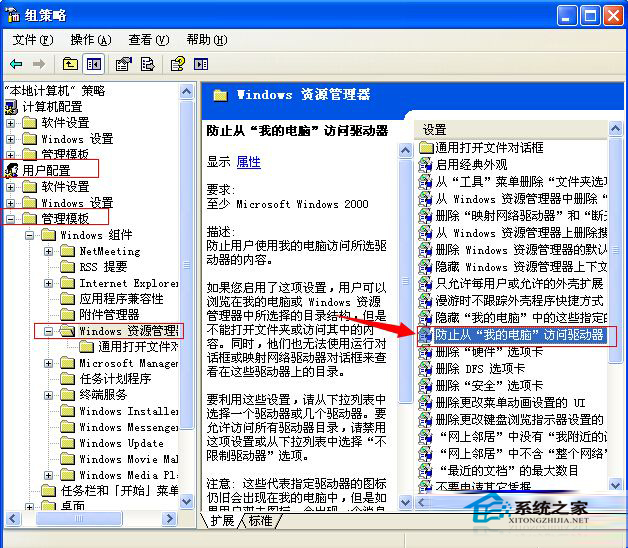
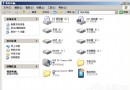
C 槽為系統盤,存放核心檔案,若被誤刪導致系統崩潰,重灌極為麻煩。透過群組原則可針對特定使用者或群組禁止存取 C 槽,保護系統安全。
gpedit.msc
補充:此設定僅限制圖形介面存取,命令提示字元或特定程式仍可能繞過。需更嚴格保護請結合 NTFS 權限設定。
Windows 文件保護功能完整指南:關閉、啟用與善用技巧
PPT 按鈕動起來:利用超連結切換兩張投影片實現滑鼠懸停動畫效果
木馬病毒藏身處大公開:手動清除特洛伊木馬完整指南
WinXP 我的電腦左側欄不見了怎麼找回?完整恢復教學
WinXP 如何開啟 .bin 檔案?UltraISO 掛載光碟映像、十六進位編輯器查看 BIOS 檔完整指南
WinXP 系統 Netgear 無線路由器設定教學:連線、IP 設定、PPPoE 撥號、無線參數完整流程
Win8.1 透過群組原則稽核揭露隱藏帳號:監控登入行為並重設密碼封鎖
深度解析:USB 隨身碟分區格式 NTFS 與 exFAT 的關鍵差異與選擇指南