regedit
sfc /scannow
註冊表編輯:regedit →「編輯」→「尋找」輸入錯誤檔名 → 刪除找到的機碼 → 重開機。
辨識隱藏系統檔真偽:System Volume Information、PageFile.sys 深度解析與管理
Windows 98 開啟未註冊檔案類型的技巧與預設程式變更方法
解決 Windows XP 無法關機故障:電源選項正確配置指南
Windows XP 數字小鍵盤指示燈不亮?四招輕鬆搞定開機自動開啟 NumLock
XP系統「網上鄰居」打不開?六大排查步驟恢復區域網路存取
設定「不顯示隱藏檔案」卻仍顯示?修改登錄檔 CheckedValue 或匯入 Hidden.reg 修復
手動恢復 XP 歡迎登入介面:找回經典開機體驗
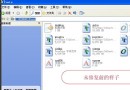
Word 阿拉伯數字一鍵轉大寫漢字 (壹貳參) 圖文教學