習慣用 GRUB 管理多重開機的使用者,在 Vista/Win7 (BCD 引導架構) 上需手動將 GRUB4DOS 加入開機選單。步驟:下載 GRUB4DOS、解壓三檔至 C:\ 根目錄、以管理員身分執行 bcdedit 建立開機項目並指向 grldr.mbr。
grldr.mbr、grldr、menu.lst 至 C:\ 根目錄。bcdedit /create /d "GRUB" /application bootsector{xxxxxxxx-xxxx-xxxx-xxxx-xxxxxxxxxxxx})。bcdedit /set {GUID} device partition=c:bcdedit /set {GUID} path \grldr.mbrbcdedit /displayorder {GUID} /addlast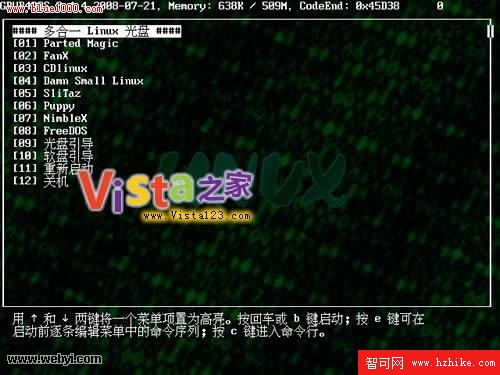
GRUB4DOS 多重開機選單示意
備註:GRUB4DOS 是優秀的多系統引導軟體,軟媒「Vista 一鍵還原」光碟映像內亦內建此工具。新手建議先了解 GRUB 基本概念再操作。