傳統 cmd.exe 正逐漸被 Windows PowerShell 取代。PowerShell 2.0 已內建於 Windows Server 2008 與 Windows 7,提供強大的自動化管理能力,是系統管理員必備技能。
PowerShell 擁有完善的文件:
Get-Command:列出所有 129 個 Cmdlet。Get-Help <Cmdlet>:查看特定指令用法(如 Get-Help Get-Command)。Get-Help Get-Service -Full:顯示完整說明含範例。Get-Help Get-Service -Parameter *:列出所有參數說明。Get-Command | More:分頁顯示所有指令。Get-Help about_Wildcard:學習萬用字元用法(與 CMD 不同)。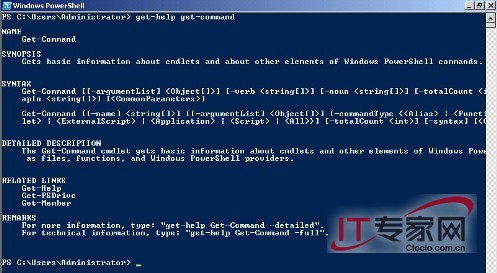
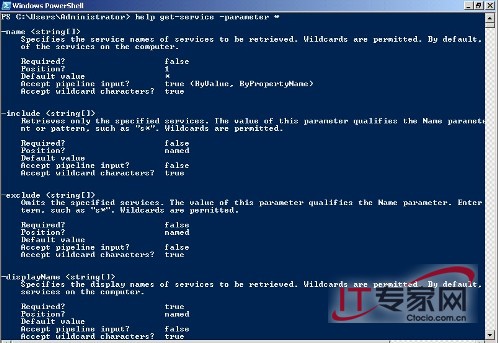
掌握這些技巧,能讓您快速上手 PowerShell,大幅提升管理效率。
強化 Windows Server 2008 列印管理三大實用技巧
Windows Server 2008 IE 設定 Proxy 伺服器完整步驟:區域網路設定、進階例外、驗證
Windows Server 2008 驅動程式安裝失敗原因與解決:相容性檢查、UAC 阻擋、INF 手動安裝、數位簽章驗證
Windows Server 2008 桌面優化指南:打造日常工作好幫手
Windows Server 2008 Core 安裝 Hyper-V 角色完整指南(BIOS、授權、升級包、遠端管理)
Windows Server 2008 安裝 IIS 完整圖文教程
Windows Server 2008 安全性日誌大量「稽核失敗」事件 ID 4624:偵測暴力破解嘗試與防火牆封鎖攻擊 IP
Windows Server 2008 R2 安裝 SQL Server 2012 關鍵先決條件:SP1 修補與 Visual Studio 2010 SP1