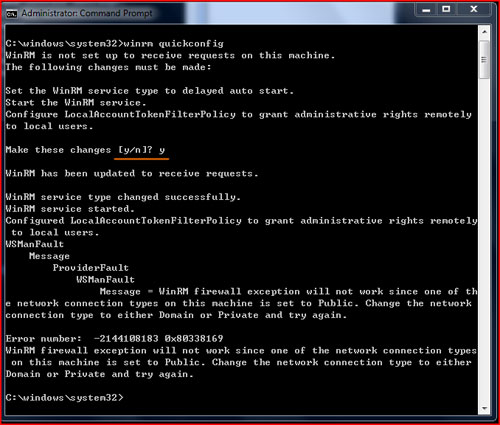
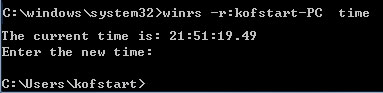
WinRM 基於 WS-Management 標準,使用 HTTP (80) / HTTPS (443) 通訊,極利於防火牆策略收斂。Server Core 執行 winrm quickconfig(需管理員權限,選 Y)即可啟用。管理端使用 winrs -r:<Core主機名> <指令> 遠端執行指令,無需開放 3389/135/445 等高風險埠。
winrm quickconfig
提示選 Y 同意建立 HTTP 監聽器、防火牆例外、啟動服務。
winrs -r:ServerCore01 ipconfig /all
winrs -r:ServerCore01 net stop wuauserv
winrs -r:ServerCore01 powershell -command "Get-Service"
winrm create winrm/config/Listener?Address=*+Transport=HTTPS @{Hostname="fqdn";CertificateThumbprint="xxx"}-use_ssl 參數。Enable-PSRemoting) 獲得完整互動式會話。