Windows Server 2008 磁碟管理 GUI 建立第 4 個分區時會強制轉換為「延伸分區」,實際上 MBR 支援 4 個主分區。使用 diskpart 指令可直接建立第 4 主分區,再指派磁碟機代號、格式化即可正常使用。
diskpartlist disk → 確認目標磁碟編號 (如 Disk 0)select disk 0create partition primary (可加 size=10240 指定 10 GB)assign letter=E → format fs=ntfs quick → 完成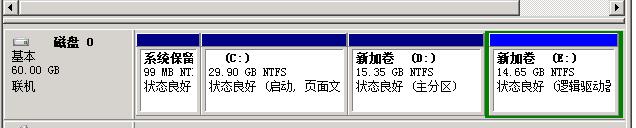
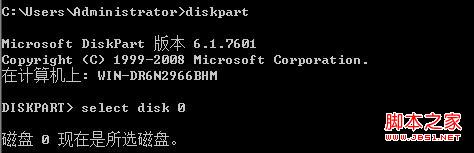

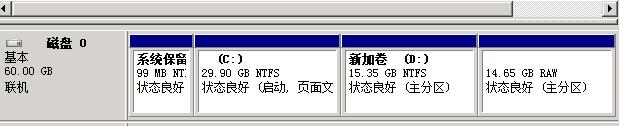

補充:diskpart亦可建立延伸分區 (create partition extended) 與邏輯分區 (create partition logical),適合需超過 4 分區的 MBR 磁碟場景。GPT 磁碟直接建立主分區即可,無需延伸分區概念。
解決 Windows Server 2008 區域網路看不到共享資源:啟用網路探索與檔案共享
Windows Server 2008 Core 安裝 Hyper-V 角色完整指南(BIOS、授權、升級包、遠端管理)
Windows Server 2008 離線檔案功能啟用與配置指南
Windows Server 2008 關閉 Ctrl+Alt+Delete 登入強制組合鍵:群組原則 gpedit.msc 設定教學
IIS 7.5 在 Windows Server 2008 R2 的關鍵增強:FTP/WebDAV 內建、PowerShell 提供者、FastCGI 優化與最佳實務分析器
解決 Windows Server 2008 IIS 7.5 錯誤 500 內部伺服器錯誤不顯示詳細資訊:啟用詳細錯誤與自訂錯誤頁面