Windows XP Windows 7 Windows 2003 Windows Vista Windows 綜合教學 Linux 系統教學
Windows 10 Windows 8 Windows 2008 Windows NT Windows Server 電腦軟體教學
您现在的位置: Windows教程網 >> Windows教程 >  >> Windows Server 系統教學 >> Server 2008

申請正版 Windows Server 2008 / R2 產品金鑰 (DreamSpark 學生授權流程)

編輯:Server 2008

學生授權特點

  • 可啟用 2008 / 2008 R2 任意版本,功能等同零售版。
  • 無時間限制,支援 Windows Update。
  • 金鑰僅能線上啟用一次 (重裝可備份還原啟用檔案 %SystemRoot%\System32\spp\store\)。

快速步驟

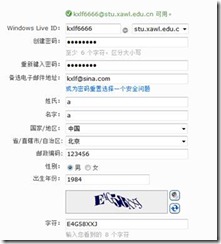
  1. 註冊學生信箱:Live@edu 註冊 (記住帳號密碼)。
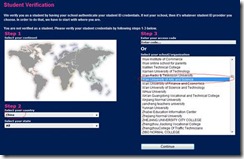
  2. 登入 DreamSpark:DreamSpark 學生中心 → 國家選 China → 學校選 Xi'an University of Arts and Science。

詳細圖文流程

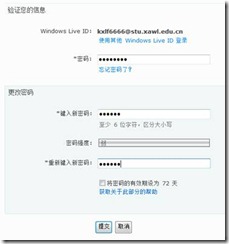
  1. 註冊學生信箱 → 修改密碼 (必做)。
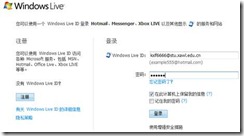
  2. 登入 home.live.com 保持登入狀態。
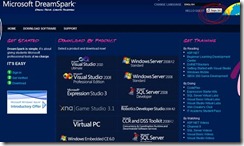
  3. 訪問 DreamSpark → 右上角 Sign In 自動登入。
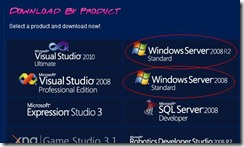
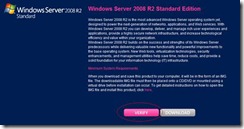
  4. 首頁點選所需 Windows Server 2008 或 R2 版本 → Verify。
  5. Step 2 選 China,Step 3 選 Xi'an University of Arts and Science → Continue。
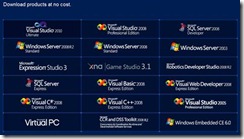
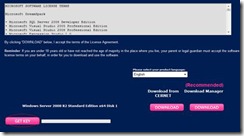
  6. 產品清單點選目標版本 → 網頁下方 GET KEY → 右側顯示產品金鑰。

注意:僅限合格學生/教職員使用,商業用途請購買正版授權。

Copyright © Windows教程網 All Rights Reserved