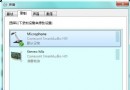
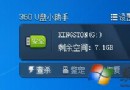
病毒常利用「雙擊開啟」啟動,三種開啟方式安全性遞增:
病毒程式常掛載在雙擊動作上,一點即中招。
略過自動播放/雙擊觸發,但右鍵選單命令仍可能被惡意利用。
透過系統檔案管理程式存取,不直接觸發磁碟自動執行,大幅降低病毒啟動機率。
誤解壓檔案怎麼辦?善用「存取日期」秒刪雜亂檔案
開機提示「找不到 comres.dll」?三步驟修復系統檔案
Recovery 資料夾是什麼?能不能刪除?一文看懂
Windows 文件映射實現共享記憶體:C++ 完整封裝類與測試範例
Rufus:輕量級跨平台 USB 啟動盤制作神器
Linux find 指令完全指南:語法、邏輯運算子與 20 種常用查詢選項詳解
Windows Server 2003 安裝 pcAnywhere 導致 Awgina.dll 錯誤的完整解決方案
Windows 清除共用資料夾登入憑證快取:切換帳號存取的 3 種方法