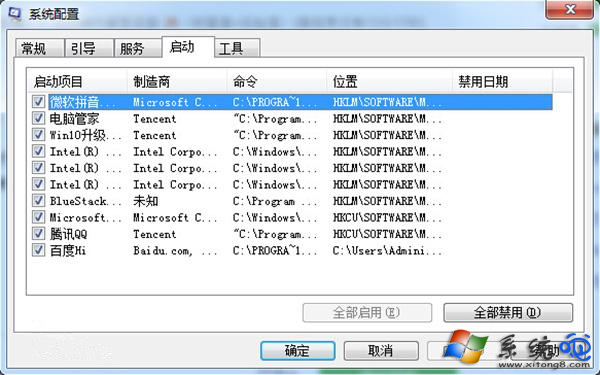
開機彈出 comres.dll 遺失,可能是系統檔損毀或病毒殘留。依序嘗試:
comres.dll
C:\Windows\System32\dllcache\comres.dll
msconfig
重開機後錯誤訊息即可消失。
Linux 啟用 Telnet 服務完整教程:從套件安裝到 xinetd 配置與疑難排解
電腦操作 18 禁忌:延長壽命、避免損壞的實務守則
HDMI 連電視有畫面無聲音?把輸出裝置切換到電視即可
列印機掃描文件到電腦?Windows內建「傳真與掃描」免驅動免軟體操作教學
系統碟爆紅急救:四步清理無用垃圾,騰出 10GB+ 空間
關閉 IE 煩人提示:「限制活動內容」與「安全設定風險」
網頁隱形病毒五大類:佔用 CPU、竊取本地檔案、Web 欺騙、惡意下載、瀏覽器劫持
Linux 新增硬碟分區與掛載完整實戰:fdisk、mkfs.ext4、badblocks、fstab、UUID