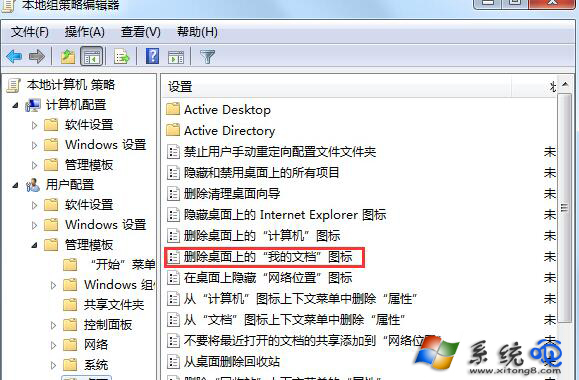
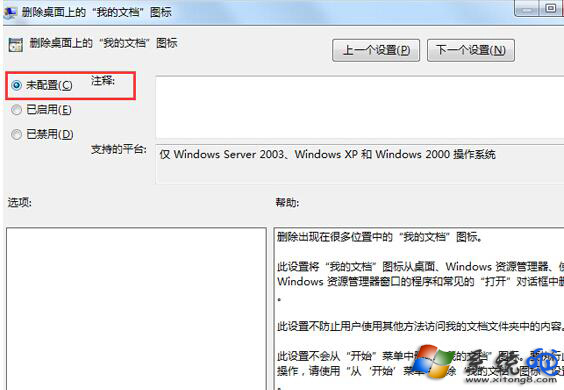
桌面找不到「我的文件」圖示,通常是群組原則隱藏所致。修復方法:
gpedit.msc
重新整理桌面(F5)圖示即會出現。
徹底解決 Windows Server 時間同步失效問題
開始功能表使用者名稱/我的圖片顯示控制:登錄與控制台三大設定教學
FTP 無法列出目錄?主動/被動模式設定錯誤實例解析
QQ 電腦管家開啟彈窗攔截:工具箱手動添加廣告彈窗特徵碼
Linux find 指令完全指南:語法、邏輯運算子與 20 種常用查詢選項詳解
使用者帳號圖示出現紅叉?三招快速修復圖示關聯異常
Windows 修改內建 Administrator 帳戶名稱的兩種方法
鍵盤左上角的「隱藏大招」:ESC鍵8大實用技巧全解析