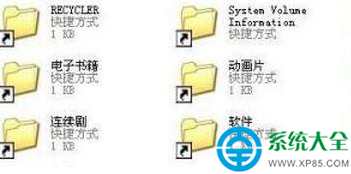
想把 U盤變「只讀光盤」,防止文件被誤刪、病毒寫入、隱私外洩?註冊表一鍵開啟全局寫保護(影響所有可移動存儲設備)。
regedit 打開註冊表編輯器。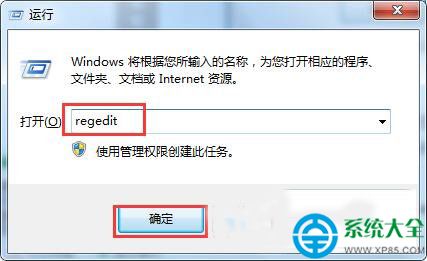
HKEY_LOCAL_MACHINE\SYSTEM\CurrentControlSet\Control\StorageDevicePoliciesStorageDevicePolicies 鍵,右鍵 Control → 新建 → 項 → 命名為 StorageDevicePolicies)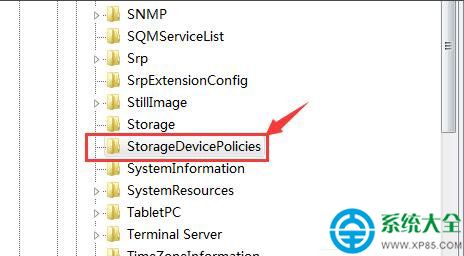
WriteProtect,數值數據設為 1(十六進制/十進制均可),確定。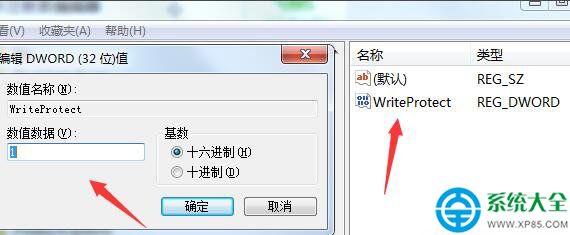
解除只讀: 將 WriteProtect 值改為 0 或刪除該值,重新插拔即可恢復讀寫。
注意: 此設置為全局生效,插入任何可移動磁盤均為只讀。若需單盤只讀,請用 U盤硬件寫保護撥鍵或 BitLocker 僅讀權限。