Windows 剪貼板是系統級暫存區,支援文字、圖片、檔案路徑等多種格式跨應用程式複製貼上。Win7 沒有像 XP 那樣直接提供圖形化剪貼板檢視器,但可透過命令列工具 clip.exe 呼叫內建檢視器。本文說明開啟步驟與基本操作。
clip.exe
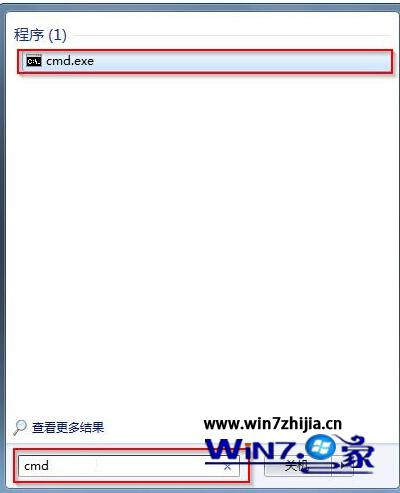
cmd
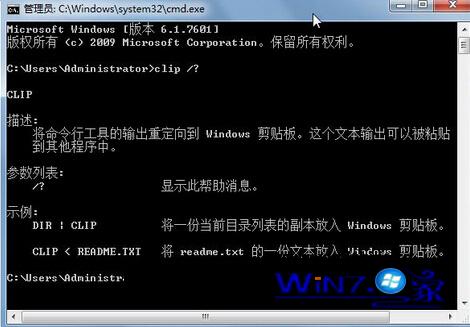
clip /?
clip
/?
dir | clip
Windows 與 VMware Linux 共享資料夾設定:VMware Tools 安裝、共享目錄配置、掛載使用全流程
Win10 關閉 SmartScreen 篩選器兩大方法:控制台介面與登錄表修改
Win10 記事本在哪裡?五種開啟方式與兩種固定到開始螢幕方法
Win10 版 Xbox 應用程式更新:提升穩定性與流暢度
Windows 7 檔案無法複製貼上?鍵盤滑鼠皆失效,三步驟修復磁碟錯誤恢復正常
Windows 10 開機黑屏怎麼辦?禁用開機鎖定畫面即可秒開機
Win7/Win8.1 預約 Win10 免費升級完整教學與注意事項
Windows 10 Build 9879 技術預覽版釋出:核心大幅改進、新動畫、手勢支援