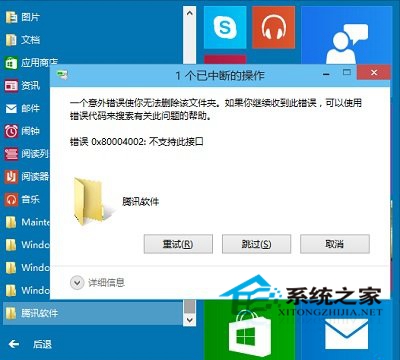
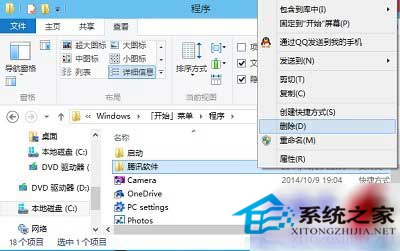
Windows 10 開始選單的程式資料夾右鍵無「刪除」選項,嘗試刪除會彈出錯誤提示。實際資料夾位於隱藏路徑,可透過檔案總管手動刪除。
C:\ProgramData\Microsoft\Windows\Start Menu\Programs
此為 Windows 10 早期版本缺陷,正式版已修正可直接在開始選單右鍵刪除。
Win10 安裝 CAD2016 提示「全鎖無效或未安裝」?啟用 FlexNet Licensing Service 64 服務即可解決
Win10 找回經典「通知區域圖示」設定介面(建立捷徑)
解決電腦工作列變寬、無法復原的問題
Win8 變更桌面資料夾儲存路徑至非系統盤,減輕 C 盤負擔,透過屬性→位置→移動完成
Win10 更新後 LOL 幀率鎖 60?關閉 Xbox Game DVR 錄製功能即時解鎖
Win8 如何確認系統啟動模式 UEFI 或 BIOS?三種方法:安裝日誌、磁碟分區表、系統資訊
Win10 內建 Skype 解不掉?三種移除方法:設定、PowerShell、離線安裝包
Win7 記事本更改字型教學:支援自訂字型、推薦等寬字型 Consolas 程式碼閱讀最佳