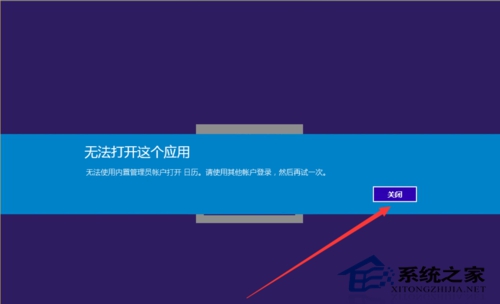
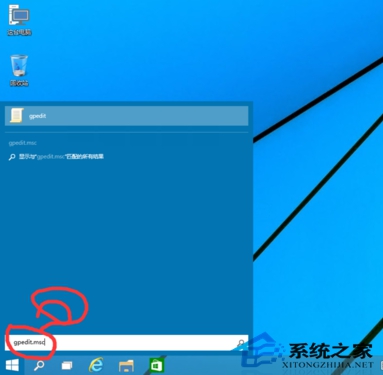
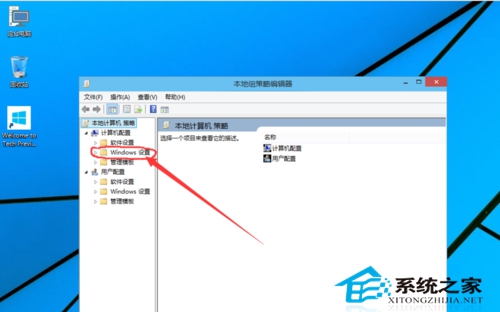
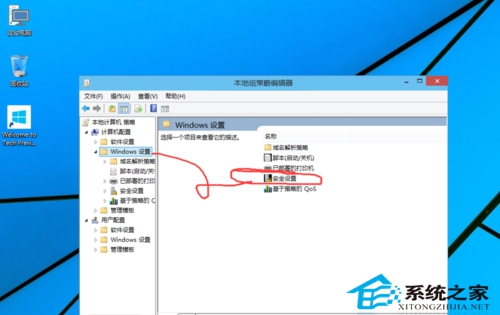
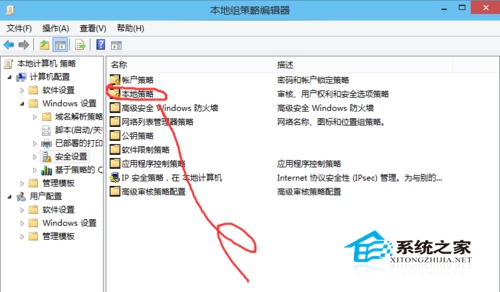
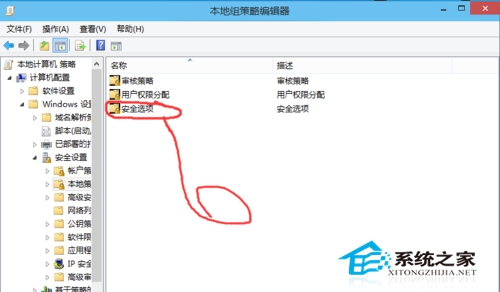
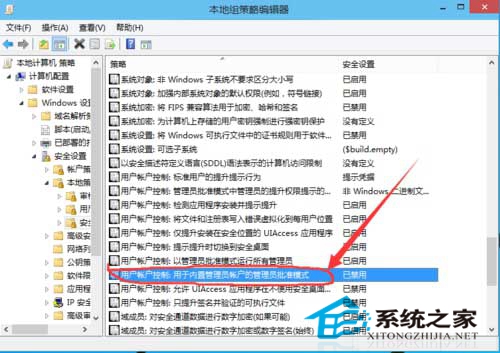
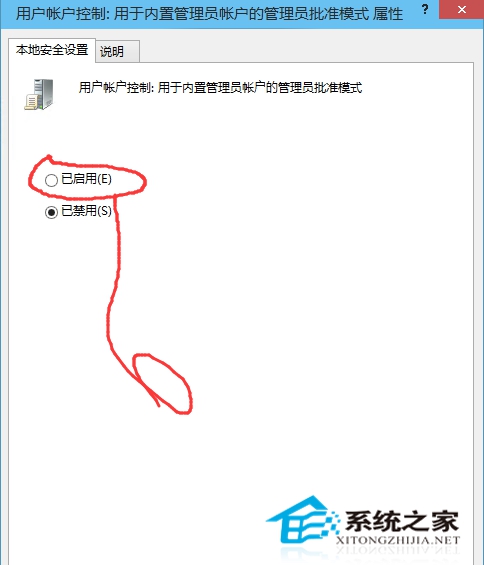
使用內建 Administrator 帳戶登入 Windows 10 時,啟動現代應用 (如商店、計算機、照片) 會提示「無法使用內建管理員帳戶開啟此應用程式」。需啟用群組原則允許管理員核准模式。
gpedit.msc
此限制為安全機制,建議日常使用標準帳戶,僅在必要時切換至管理員帳戶。
Win8 如何在桌面顯示應用程式圖示?從開始畫面複製捷徑
WP8.1/Win10/PC 三平台密碼管理器 Enpass 限時免費:軍規加密、離線儲存、雲端同步、瀏覽器自動填表
在開始選單顯示控制台所有項目:Win7/XP 經典技巧
Win10 Build 10031 官方 ISO 下載:開始選單終於支援透明效果
Windows 8 內建燒錄功能完整教學:無需第三方軟體即可燒錄資料光碟
Win7 批次重新命名照片:Ctrl+A 全選 → F2 重命名 → 自動編號排序
Win10 內建應用安裝失敗錯誤 0x80073cff 解決方法
WinXP/Vista/7/8 如何免費升級 Win10?官方雙軌升級路徑:ISO 與 Windows Update