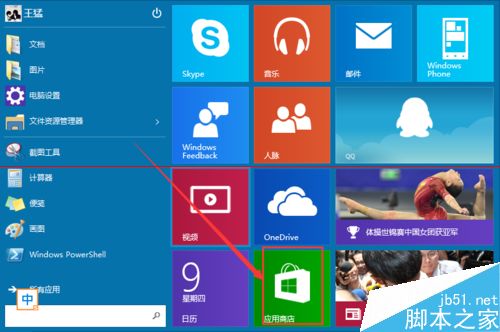
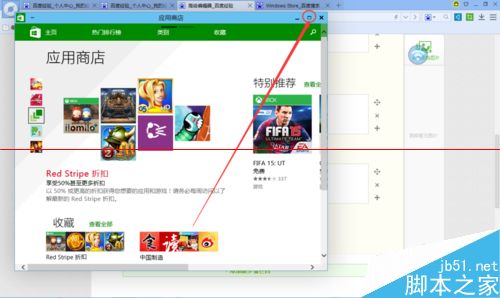
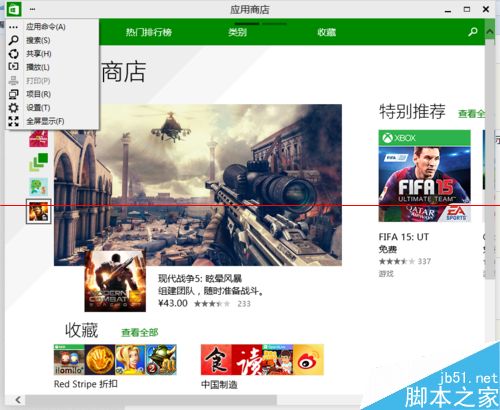
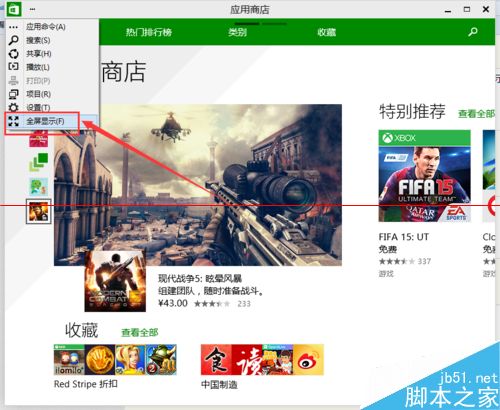
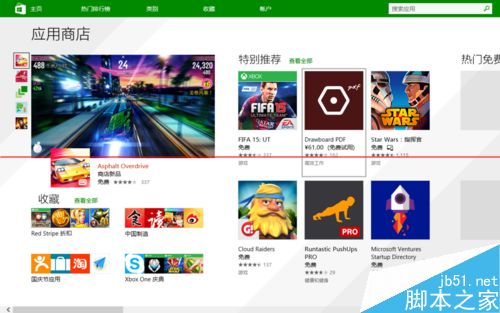
Windows 10 Store 應用預設視窗化,非真全螢幕。可透過應用左上角選單切換至全螢幕模式。
如何將 USB 隨身碟製作成 Windows 系統開機金鑰?批次檔 + 群組原則實作教學
Windows 安裝 GeoServer 2.8.3 + GDAL 外掛完整教學(x64 環境關鍵:必須選 Run manually)
Windows 7 進入安全模式:F8 鍵喚出進階開機選單完整教學
Win10 開始選單、Cortana、IE 等系統應用無法開啟或閃退?兩種快速修復法
一條 PowerShell 指令移除 Win10 不需核心應用釋放空間:Get-AppxPackage 與 Remove-AppxPackage 實戰教學
微軟官方確認:零售版 Windows 10 USB 不會進入中國市場,仍以序號銷售為主
Win10 Mobile 預覽版降級/回滾 WP8.1 教程:Windows Phone Recovery Tool 抹機還原 (附工具下載連結)