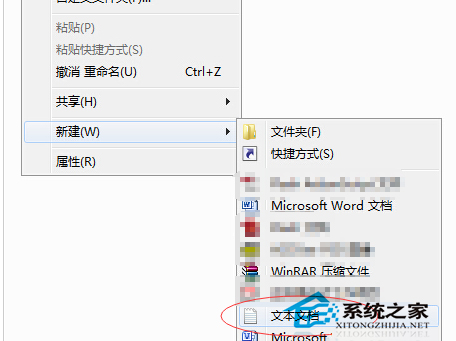
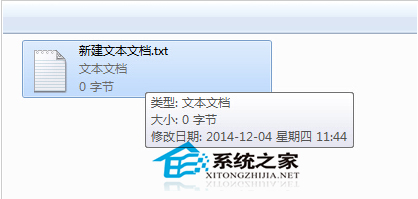
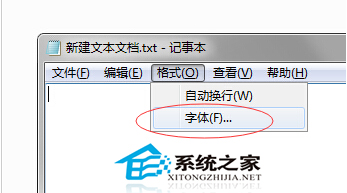
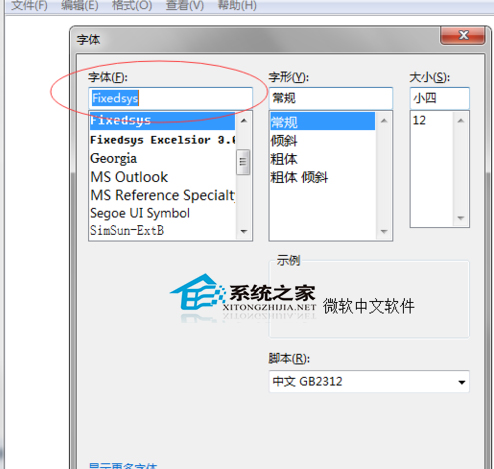
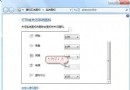
Windows 7 記事本內建字型設定功能,可自由更換字型、大小、樣式。推薦程式設計師使用等寬字型 Consolas (數字字母等寬、辨識度高),懷舊用戶可選 XP 預設 Fixedsys。
設定後該記事本檔案將永久套用此字型。若想改變所有新建記事本預設字型,需修改登錄或使用第三方編輯器 (如 Notepad++),但單檔案設定即可滿足多數需求。
Win7 群組原則關閉 USB 自動播放:防範 Autorun 病毒傳播
Win10 內建應用商店預裝 App 怎麼批次刪除?PowerShell 一鍵指令教學
Win7 如何設定工作排程器?開始搜尋「排程」→ 建立基本工作 → 設定觸發時間/動作自動執行程式
深入了解 Windows 8 工作管理器:Metro 應用程式暫停機制
Win10 十大隱藏實用功能大公開:非作用中視窗滾動、多螢幕縮放、儲存感知等
Win10 專業版裝不了 Dolby 音效驅動?關閉驅動程式強制簽名 + 重裝聲卡驅動完整教學
用指令 3 秒查詢電腦製造日期:WMIC BIOS 單行指令教學
微軟小娜有什麼用?Win10 版 Cortana 功能詳解:筆記本、語音提醒、智慧搜尋、航班包裹追蹤