Win7 內建「工作排程器」可定時自動執行程式/腳本,極大提升自動化效率。圖文教學建立每日定時任務。
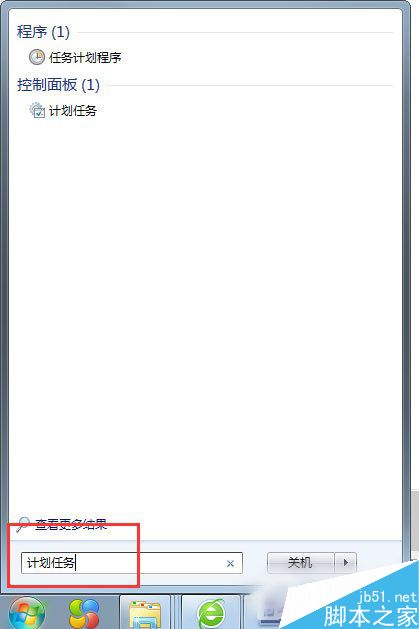
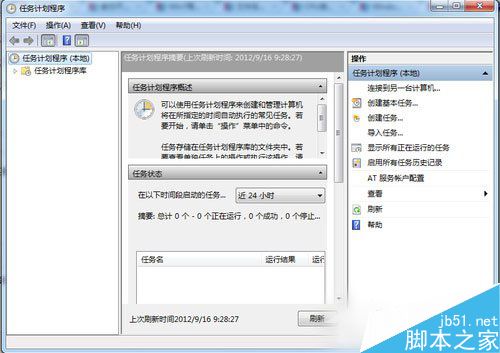
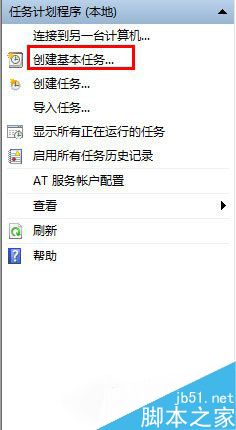
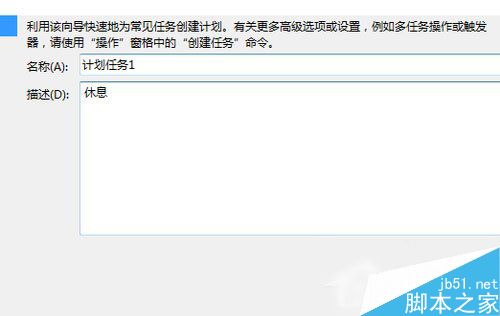
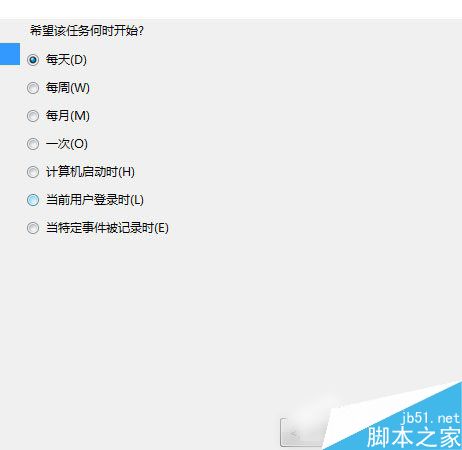
.exe 或 .bat → 完成。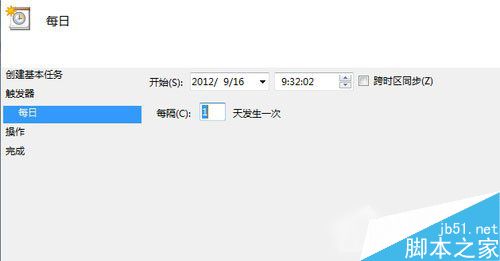
到達設定時間,系統自動執行指定程式,無需人工干預。
Win8.1/Win10 安裝卡在「正在安裝應用」怎麼辦?Ctrl+Alt+Del 一鍵跳過進入桌面
Windows 7 使用者資料夾移至非系統碟完整教學:mklink 符號連結法、批次檔自動化法、安裝階段預先遷移法
Win10 專業版運行變慢卡頓?10 招優化加速:碎片整理、啟動項、服務、驅動、SSD、記憶體全方位提速
Win7 無法清除 DNS 快取?啟動 DNS Client/DHCP Client 服務後再執行 ipconfig /flushdns
Win10 Mobile 14342.1003 更新體驗:穩定性提升、Edge 手勢回歸