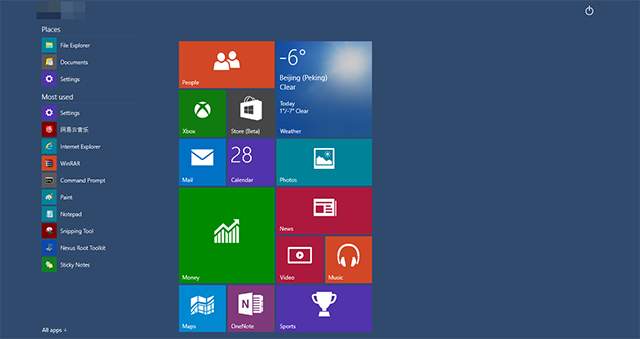
Win10 加入平板模式(Continuum 模式),提升二合一裝置體驗。手動開啟步驟:
拔除鍵盤時系統也會自動提示切換平板模式,解決 Win8/8.1 傳統桌面與 Modern 介面「割裂感」問題。
Windows Server 2008 R2 修改密碼原則:透過群組原則管理編輯 Default Domain Policy
Win8.1 控制台在哪?Win+F 搜尋「控制台」秒開
Win7 區域網路共享提示「輸入網路密碼」完整解決:防火牆、密碼保護、帳號重命名三步走
百度直通車升級 Win10 卡在「正在獲取更新」完美解法:停用 Windows Update 服務
Win10 正式版小娜無聲音、開啟按鈕灰色不可點?語音語言包未安裝為主因,補裝即可解決
Windows 10/8/7 共享存取提示輸入密碼?七步設定解決免密碼存取
Windows XP 經典命令大全:按字母排序的完整參考表
Win10 無法開啟定位功能怎麼辦?啟用 Geolocation Service 解決