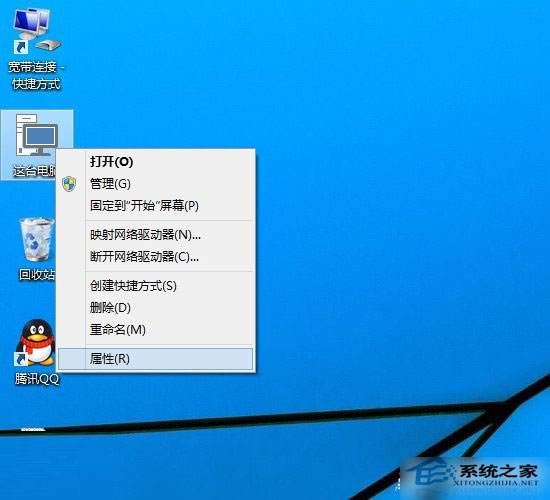
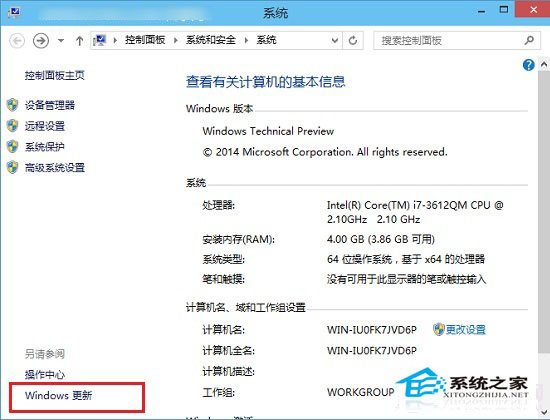
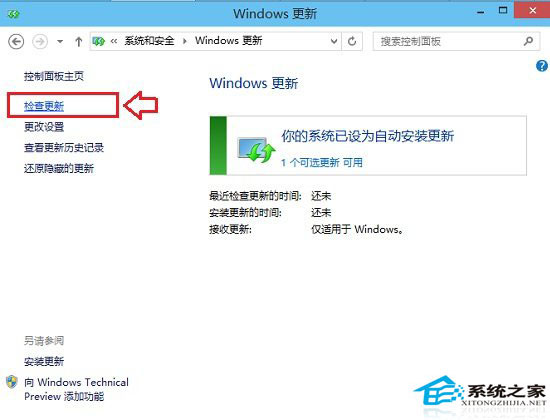
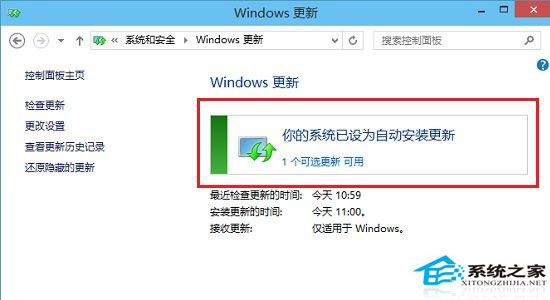
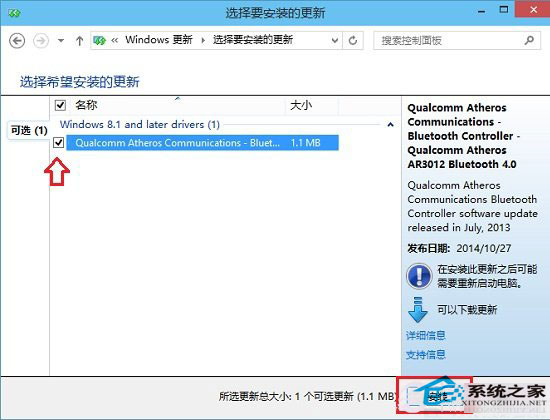
Windows 10 預覽版頻繁更新修復相容性問題,掌握手動檢查更新技巧可確保系統保持最新安全版本。
建議開啟自動更新,系統將在維護時段自動下載安裝,保持最佳安全狀態。
Windows 7 開機沒聲音?11 步驟完整排查聲卡、驅動、服務、設定
Win10 升級至 89% 重開機後硬碟資料全失、提示「缺少作業系統」?微軟承認相容性問題
Win10 安裝搜狗輸入法完整教學:官網下載 v7.8、取消廣告選項、Ctrl+Shift 切換
Windows 7 修改副檔名無效?啟用顯示已知副檔名解決
Windows 10 創新功能總覽:Cortana、Hello、通用應用、DX12、全平台統一體驗
Windows 7 麥克風無聲音完整排查指南:驅動程式更新、預設裝置設定、音量調整、效果關閉、音訊管理器設定、內建診斷工具
Win10 將任意檔案釘選到「開始」選單的完整教學
Win10 免費升級完整 QA:資格條件、費用、相容性、回復舊版、語言變更、32/64 位元轉換全解析